What a virtual reality game room is and why it matters
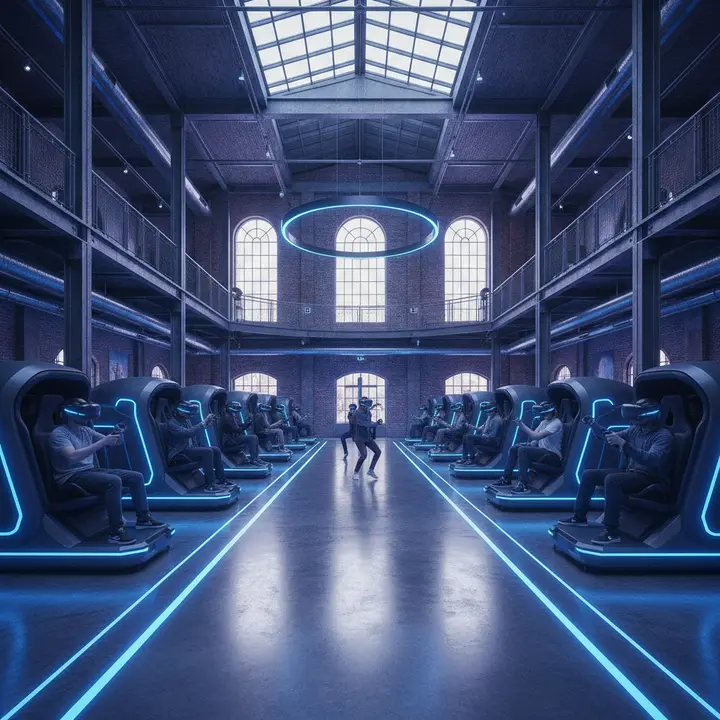
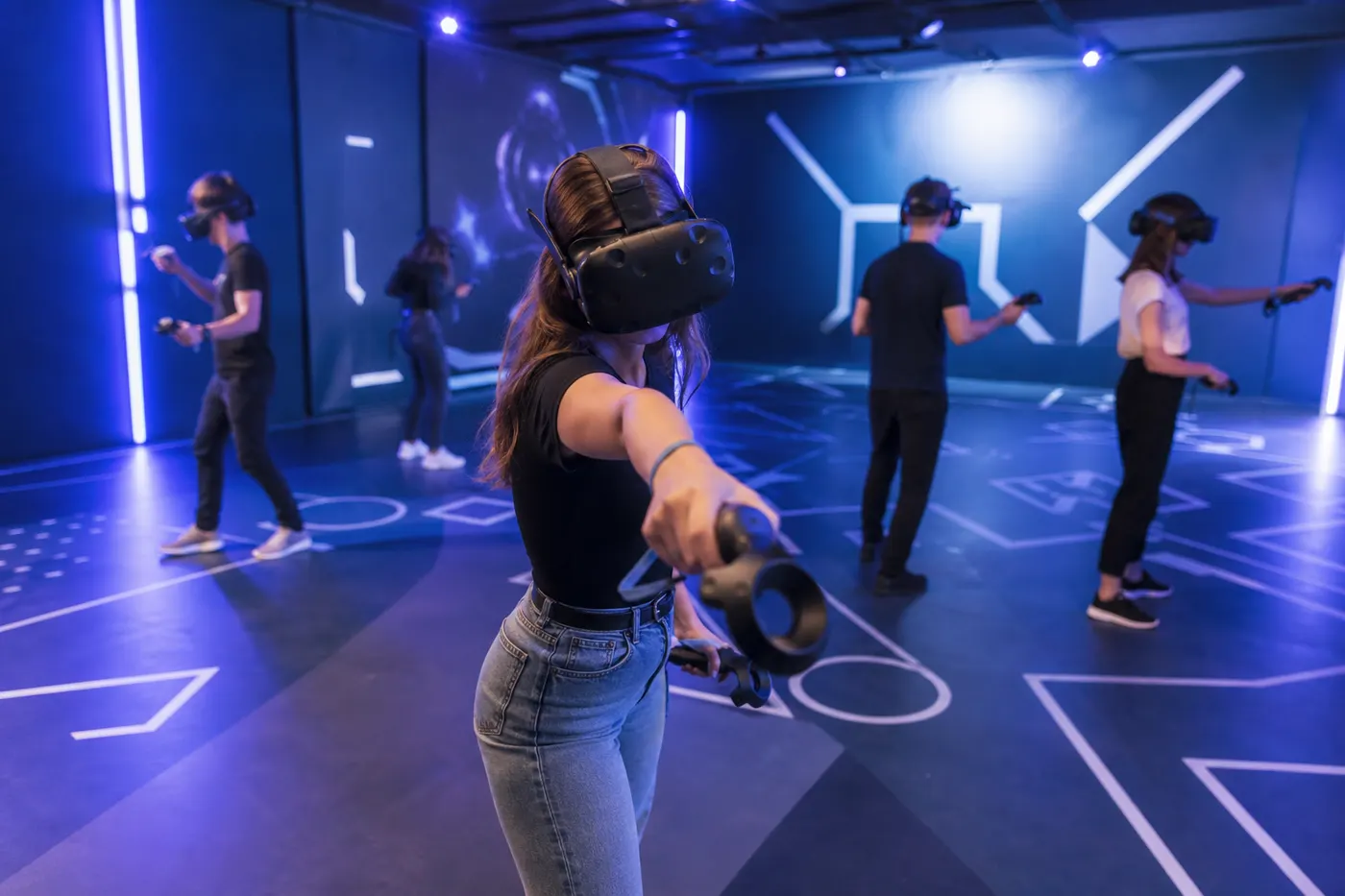
A virtual reality game room is a location-based space where guests use purpose-built headsets, tracking systems, and motion controllers inside a dedicated play area or pod to run immersive VR experiences. Venue-grade systems use room-scale tracking and managed pods so multiple people can play safely at once. This differs from most home VR setups that rely on smaller tracking volumes and personal configurations.
As a local example, The Next Level operates inside The Factory at 100 Kellogg Lane in London and advertises more than 4,000 square feet of play space with 22 individual gaming pods and 24 to 25 HTC Vive Pro headsets using room-scale tracking and motion controllers, plus 12 themed VR escape rooms and a private party room for groups. Review the virtual gaming room guide for local details.
Decision checklist: nine must-have criteria to compare venues
Use these nine criteria as your short list when calling or visiting venues. Each criterion includes a decision rule and the exact question to ask staff so you can compare like for like.
1) Safety and medical screening
Decision rule: the venue performs a basic suitability check before every session and has a clear policy for guests with seizures, vestibular conditions, or severe motion sickness. Ask: “Do you run a VR suitability or medical screening for players, and can you explain your policy for guests with seizure history?” Venues should follow industry screening guidance that covers balance, motion sickness, vision, seizure history, and neck mobility.
2) Hardware and tracking system
Decision rule: the venue uses high-end headsets with robust room-scale tracking for full movement, not just seated or stationary play. Ask: “Which headsets and tracking system do you use, and how recently were they replaced or serviced?” Look for named systems such as HTC Vive Pro to indicate a professional install and room-scale capability.
3) Play space and pod measurements
Decision rule: pods or tracked play areas are large enough for safe movement and are physically separated so players do not interfere. Ask: “What is the size of your pods or open play zones, and do you provide barriers or visual markers between stations?” Confirm that play spaces match the moving range required by the game you plan to play.
4) Game library and content updates
Decision rule: the venue maintains a large, frequently updated game library with options for different ages and tolerance to motion. Ask: “How often do you add new titles, and can I see a menu of family friendly and low-motion games?” A current library reduces repeats and helps avoid motion-heavy titles for sensitive guests.
5) Group formats and party room options
Decision rule: the venue supports the group format you need and provides a party room or spectator area for non-playing guests. Ask: “Do you have a private party room and how many people can it seat for watching or socializing?” The Next Level offers a private party room with lounge seating and large TVs for shared viewing.
6) Accessibility and age suitability
Decision rule: the venue states clear age minimums, supervision requirements, and accommodations for limited mobility. Ask: “What are your age limits, do children need adult supervision, and can you accommodate guests with mobility aids?” Confirm how staff handle transfers or seated-play options where available.
7) Staff training and beginner support
Decision rule: staff receive training to fit headsets, explain controls, and guide first-time players without rushing. Ask: “What training do your hosts receive and how much on-floor support is provided for beginners?” Good hosts will demonstrate, calibrate safety boundaries, and stay available to pause or assist during play.
8) Booking, pricing and cancellation terms
Decision rule: pricing is time-based and transparent, booking is available online, and cancellation terms are clear. Ask: “How do you price pods and party rooms, can I book online, and what is your cancellation or rescheduling policy?” Many venues use online reservation systems such as Checkfront for clarity and convenience.
9) Technical environment and spectator viewing
Decision rule: the venue manages lighting, power, and AV so tracking is reliable and spectators can watch without interfering. Ask: “How do you manage room lighting for tracking, and do you provide live spectator displays or feeds in the party area?” Proper lighting and display options make the visit smoother and more social.
Safety and suitability: quick screening you can use before anyone puts on a headset
Before you book or on arrival, run this short screen. It mirrors industry guidance and helps you spot red flags quickly.
- Balance and mobility: can the person stand and walk unaided in a small space for short intervals?
- Motion sickness history: do they get sick on boats, cars, or VR previously?
- Vision and eyewear: can they wear the headset over glasses, or does the venue provide spacer inserts?
- Seizure history: ask directly and do not allow play if there is a known light-sensitive seizure condition unless cleared by a clinician.
- Neck or back issues: confirm the person can support a headset and participate in short sessions.
Venues and organisers should use a fuller screening tool for group bookings. For a complete printable checklist, review the VR suitability screening guidance provided by industry resources at withVR.
Hardware, play space, and game library signals of a high-quality facility
When you inspect a venue or compare quotes look for practical maintenance and capability indicators.
- Named headsets and tracking: references to systems like HTC Vive Pro and room-scale tracking indicate a professional setup. The Next Level lists HTC Vive Pro headsets and room-scale tracking across its pods.
- Pod size and separation: clear markers, 9 by 9 foot pods or larger, or dedicated free-play zones reduce accidental collisions.
- Recent software updates: ask when the library was last updated and whether staff patch game software between sessions.
- Cleanliness routine: head straps, face pads, and controllers should be cleaned between users and disposable hygiene covers should be available.
Group bookings, party rooms and escape rooms: capacity and logistics to verify
Group events change timing and staffing needs. Confirm these venue specifics before you commit.
- Turnover time: find out how long each pod session runs and whether staggered starts are used for large groups.
- Party room features: verify seating, TV displays for spectators, and whether decorations or outside food are allowed. The Next Level advertises a dedicated private party room with lounge seating and wall-mounted TVs.
- Escape room team size: ask the recommended player counts for themed escape rooms and typical completion time so you can schedule transitions.
- Supervision ratio: for school groups or children, confirm how many hosts will be present and their role during sessions.
Common objections and realistic mitigations
Decision makers regularly raise the same concerns. Here are practical mitigations you can expect from a professional venue.
- Motion sickness: choose short sessions, select low-motion titles, encourage hydration and breaks, and ask staff to offer seated-play variants for sensitive guests.
- Age and supervision: insist on clear age policies and that staff explain controls to younger players before the session starts.
- Accessibility: request seated or controller-only options and ask whether staff can help with safe transfers or adjustments.
- Hygiene: request disposable face covers or single-use sanitation between players and confirm cleaning procedures.
- Customer service: expect patient, step-by-step support for beginners and a clear process for resolving problems during sessions.
Technical checklist for event planners and teachers
Before arrival or during a site visit run these quick checks. They are especially important for school field trips and corporate events that rely on smooth AV and timing.
- Lighting: tracking cameras need steady lighting. Avoid strobe lights and pitch-black rooms that break tracking systems. Event lighting guidance for VR setups stresses steady illumination for reliable tracking; see a technical pre-event checklist for rentals for details.
- Power and layout: verify that the venue has routed power and cable management so players do not trip on leads.
- Wi-Fi and AV: if you plan a presentation or live spectator feed, confirm network capacity and whether the venue can display gameplay on TVs in the party room.
- Noise control: check whether nearby activities will distract paying guests or interfere with staff instructions.
- Onsite tech support: ask who you contact if a headset needs recalibration or a game crashes during a session and how quickly they can respond.
Event planners can follow a full technical pre-event setup checklist provided for VR rentals and events at Virtual Reality Games.
How to compare quotes and the exact questions to ask
When you call or email, use this short script and checklist items so answers are comparable across venues.
Script starters: “We are planning a group of [number], date [date]. What is included in a one-hour pod session? How many staff will be present? What is your cancellation policy? Do you provide a private party room and AV for spectators?”
- Included vs extra: confirm whether headsets, controllers, staff, setup time, and spectator displays are included in the quoted price.
- Staffing ratio: ask how many hosts are assigned per X players for supervision and rotation.
- Confirmation and check-in: ask how guests check in on arrival and whether you will receive an itinerary or timeline for large groups.
- Refunds and rescheduling: request written terms on cancellations and rescheduling for unexpected closures or illness.
Next steps and a short booking checklist
What to have ready when you call or book online:
- Event date, start time, and an alternative date.
- Number of players and expected spectators.
- Any medical flags or accessibility needs to disclose in advance.
- Preferred game types and whether you need low-motion or family friendly options.
Day-of checklist for guests: wear comfortable clothing, bring corrective eyewear if needed, arrive 10 to 15 minutes early for orientation, and plan for short breaks between sessions. For local directions and detailed booking steps consult the venue’s virtual gaming room guide or contact the facility directly to confirm availability and group booking details.
Frequently asked questions
What ages and physical conditions make someone unsuitable for VR sessions
Venues differ on age minimums so ask before booking. Medical flags that typically require extra caution include a history of seizures triggered by flashing lights, severe motion sickness, recent major surgery, or conditions that affect balance and neck support. Use the VR suitability screening checklist as a formal reference and disclose any known conditions when you book.
How can I reduce motion sickness for someone sensitive to VR
Choose short sessions, pick low-motion titles, stay hydrated, and encourage the player to focus on a stable horizon when dizziness starts. Staff should offer seated play and be ready to pause sessions. Planning progressive exposure across successive sessions often helps beginners acclimate.
Can spectators watch and use the party room while others play
Many venues provide spectator viewing on TVs and a private party room for socializing. Confirm capacity limits, AV availability, and whether the party room is included with your booking or priced separately. The Next Level’s private party room includes lounge seating and large wall-mounted TVs for shared viewing.
How do I book a school trip or corporate team building session
Contact the venue with group size, preferred dates, any accessibility needs, and whether you need separate space for presentations. Ask about supervision ratios and how escape rooms or team activities are scheduled so you can align with your program timeline.
What should guests wear and bring for a VR booking
Wear comfortable, nonrestrictive clothing and closed shoes. Bring glasses if required and avoid loose jewelry that could tangle with controllers. Plan for short breaks between sessions and bring water if allowed.
Ready to compare options or check availability for your date? Review local offerings in the virtual gaming room guide or check availability with The Next Level.