VR gaming pod setup is the end-to-end process of planning, equipping, and calibrating a self-contained virtual reality play space so players move freely, stay safe, and enjoy smooth performance. A proper setup reduces motion sickness, prevents cable snags, speeds onboarding, and scales from one station to an arcade of 22+ identical pods.
By The Next Level | Last updated: April 16, 2026
Quick Summary
- What you’ll learn: Space planning, tracking, cable routing, onboarding, hygiene, and scaling for a reliable VR gaming pod setup.
- Built from experience: Our team runs 22 pods, 12 VR escape rooms, and a private party room inside The Factory London at 100 Kellogg Lane.
- Outcome: Faster resets, safer play, happier guests—whether it’s a birthday, corporate team-building, or a school visit.
Table of Contents
Quick Answer
A dependable VR gaming pod setup at 100 Kellogg Lane uses consistent 9×9 play areas, HTC Vive Pro headsets with motion controllers, and room‑scale tracking. Pods are cable‑managed overhead, sanitized between sessions, and paired with a curated game library—ideal for birthdays, corporate teams, and school groups in London, Ontario.
What Is a VR Gaming Pod Setup?
A VR gaming pod setup is a standardized station for room‑scale VR that includes a defined play area, an HMD like HTC Vive Pro, motion controllers, tracking sensors, a gaming PC, and safety boundaries. Consistent pods deliver predictable, safe sessions for individuals and groups.
Self-contained stations enable consistency, safety, and throughput. Each pod combines a 9×9 space, calibrated base stations, a tethered headset, and preloaded content profiles. At The Next Level, self-contained pods mean we can onboard a first-time guest in under a couple of minutes while keeping tracking rock-solid across action, creative, and educational titles. This format also supports 1–6 player VR escape rooms in adjacent bays or enclosed rooms without cross‑talk or occlusion issues.
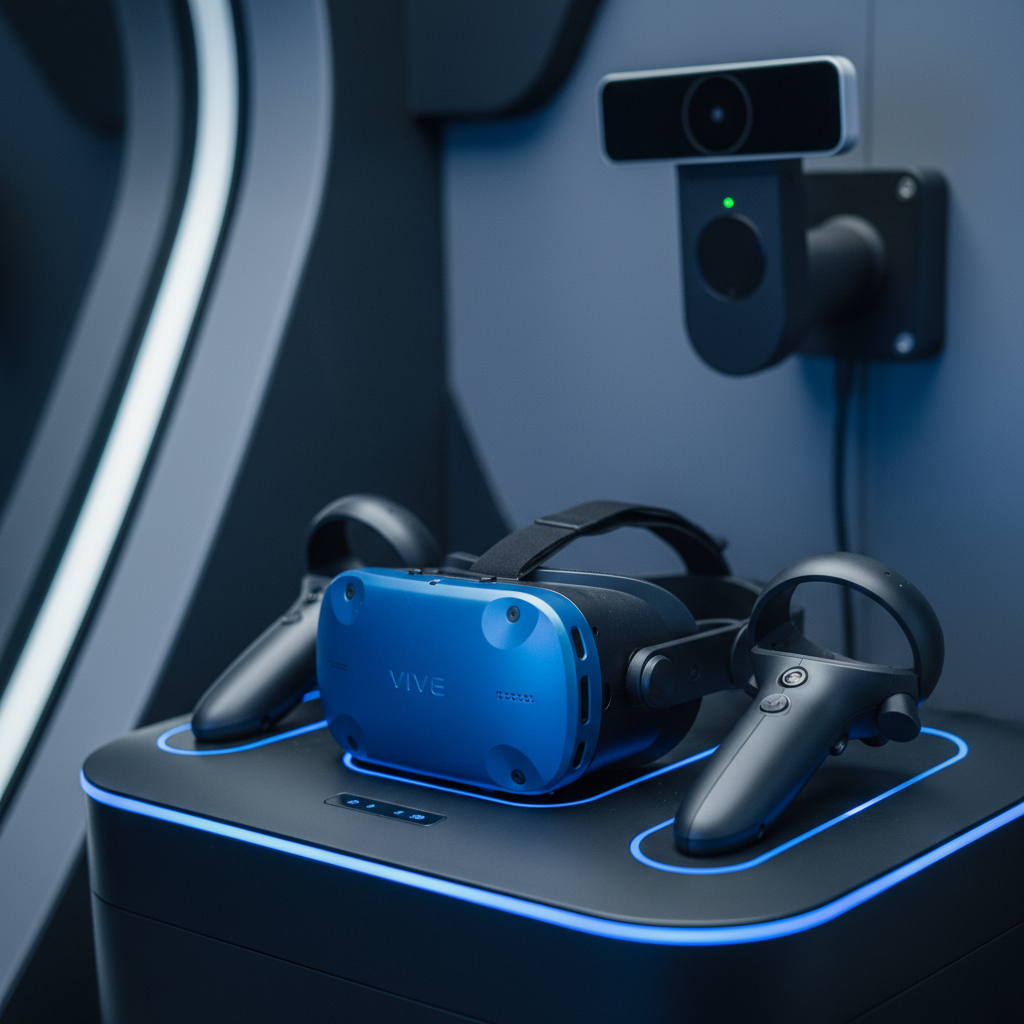
- Core components: Play zone, HTC Vive Pro headset, two motion controllers, two base stations, gaming PC, curated content launcher.
- Why “pod” matters: Self-contained layout isolates variables so staff can diagnose and reset quickly.
- At The Next Level: 22 pods span more than 4,000 square feet inside The Factory London, allowing ample movement for room‑scale play.
- Content variety: Action, rhythm, creative, educational, multiplayer, plus 12 VR escape rooms for 1–6 players.
Why a Great VR Pod Setup Matters
Dialed-in VR pods improve safety, speed, and satisfaction. Clean cable routing and calibrated tracking cut dropouts and nausea. Clear workflows shorten turnover so guests spend more time playing and less time configuring or troubleshooting.
Operational wins cascade from a good layout. In our experience managing 22 pods, standardized footprints reduce guidance time by double-digit percentages on busy weekends, and consistent diagonal sensor placement lowers tracking support requests significantly. Clear mat edges and guardian bounds keep movements natural, which reduces headset adjustments and restarts during high‑energy sequences like sword swings or rhythm games.
- Safety first: Defined boundaries and non‑slip mats reduce trips and contact with walls or spectators.
- Speed to fun: Preset guardian bounds and a short control demo help first‑timers start fast.
- Reliability: Diagonal base station placement minimizes occlusion during two‑handed motions.
- Scaling up: Identical pods make it practical to run simultaneous sessions across 22 stations.
How a VR Pod Works
Room‑scale VR tracks a player’s headset and controllers in 3D. A gaming PC renders the scene; the headset displays it at high refresh. Stable frame timing, clear line‑of‑sight, and well‑tuned boundaries make movement feel natural and comfortable.
Tracking plus performance equals presence. Two base stations positioned diagonally at about 6.5–7 feet create overlapping coverage that keeps hands tracked even during cross‑body swings. A tuned PC maintains smooth frame pacing, and headset settings like IPD and strap tension reduce visual strain. Guardian systems visualize edges so guests can turn, duck, and lunge without leaving the safe zone.
- 3D tracking: Base stations map position and rotation; good line‑of‑sight stabilizes aim and gestures.
- Rendering: A properly configured PC smooths frame delivery to cut discomfort for newcomers.
- Safety envelope: Guardian bounds make room edges obvious; mats reinforce foot placement.
- Staff touchpoints: Adjust IPD, straps, and hygiene covers; coach first steps to avoid overreach.
Types and Layout Approaches
Choose layouts by footprint, audience, and content mix. Single‑user bays, enclosed rooms, and party pods trade privacy, throughput, and spectator visibility. Standardizing dimensions and hardware simplifies operations and support.
Pick the format that fits your guests. Semi‑open bays make supervision easy for birthdays and school trips, while enclosed rooms suit puzzle‑dense VR escape rooms that benefit from quiet focus. Our party‑friendly lounge with large TVs lets groups spectate comfortably, which keeps energy up between turns and shortens perceived wait times.
Single-User Bays (Semi-Open)
- Best for: High throughput, quick coaching, easy supervision.
- Footprint: 9×9 feet with clear side boundaries and an overhead tether.
- Why it works: Guests see examples nearby; staff can assist multiple bays rapidly.
Enclosed Rooms
- Best for: VR escape rooms and focused experiences with voice‑driven teamwork.
- Footprint: Similar 9×9 play area within a quiet enclosure to cut cross‑talk.
- Why it works: Reduces distractions; helps with puzzle immersion and coordination.
Party Pod and Spectator Lounge
- Best for: Birthdays and corporate team‑building where spectators rotate in.
- Features: Lounge seating and large wall‑mounted TVs for shared viewing.
- Why it works: Keeps groups engaged while players switch, enhancing the social vibe.
| Layout | Throughput | Spectating | Best Use |
|---|---|---|---|
| Single-User Bay | High | Good (open sightlines) | Birthdays, school trips, first‑timers |
| Enclosed Room | Medium | Limited (closed space) | VR escape rooms, puzzle focus |
| Party Pod + Lounge | High (with rotations) | Excellent (large TVs) | Corporate team‑building, mixed ages |
VR Gaming Pod Setup: Step-by-Step
Lay out 9×9 feet, mount tracking diagonally, run an overhead tether, stage controllers on a dock, and preload a curated launcher. Add sanitation, onboarding cues, and a short calibration checklist. Replicate this across pods for consistent guest flow.
A repeatable process beats ad‑hoc tweaks. We map footprints, mount base stations at opposite corners, and route tethers overhead to remove trip risks. Controllers charge on labeled docks, and a content launcher boots to curated presets. The final check verifies tracking, guardian bounds, and cable slack, so the next guest starts seamlessly.
- Map the footprint: Mark a 9×9 zone, center a non‑slip mat, and set visible boundaries.
- Mount tracking: Two base stations at opposite corners, roughly 6.5–7 feet high, angled down.
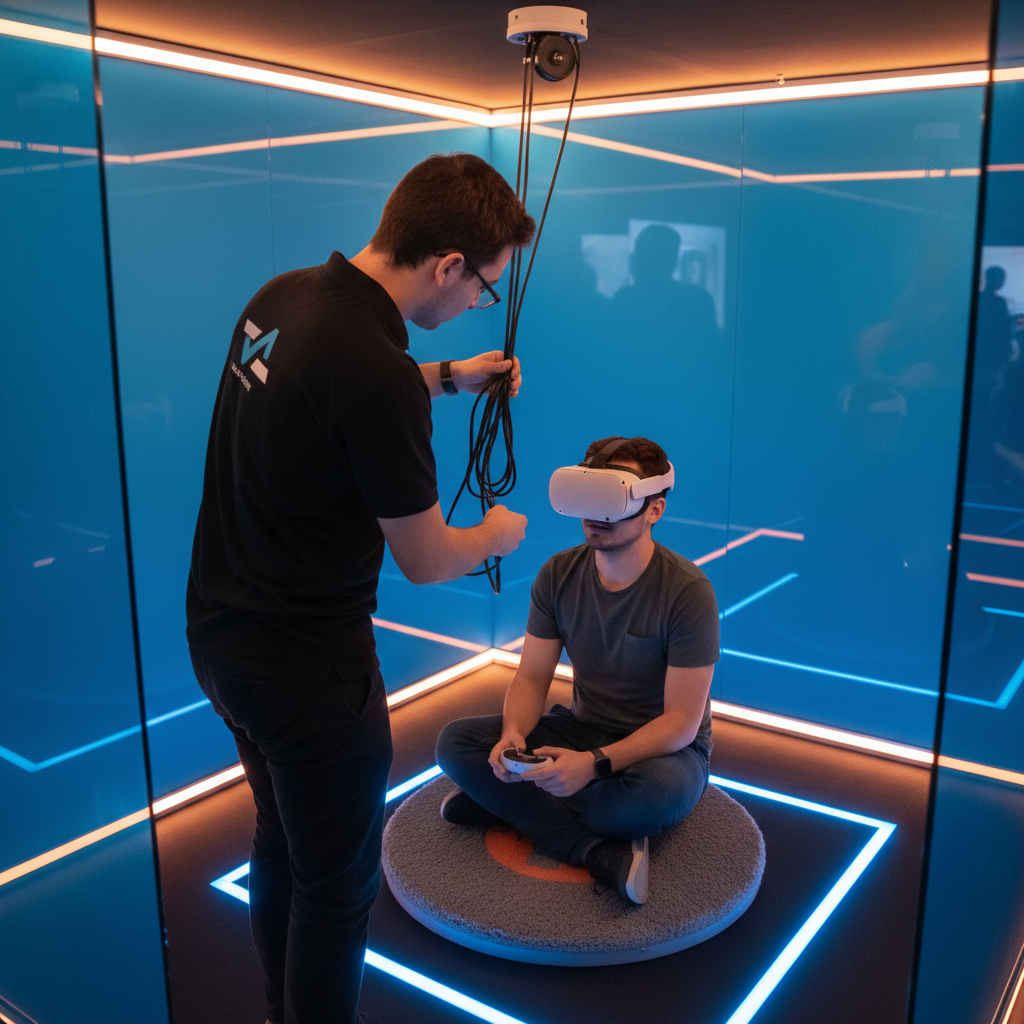
- Overhead tether: Use a retractable or pulley system; add strain relief near the headset.
- Stage hardware: HTC Vive Pro HMD, two controllers, spare face gaskets, microfiber cloths.
- PC placement: Shield the tower from kicks; use front‑facing I/O for quick swaps.
- Software baseline: Auto‑launch the content hub; preload guardian presets for common titles.
- Onboarding flow: Fit strap, set IPD, demo buttons, then start a low‑pressure tutorial scene.
- Sanitation loop: Wipe contact points and controllers; rotate or air‑dry liners between users.
- Reset & verify: Confirm tracking stability, controller battery levels, and clear cable slack.
Best Practices That Scale
Standardize dimensions, mounts, docks, and software images. Use a reset checklist, rotate face gaskets, and track controller batteries. The result is fewer interruptions, happier guests, and predictable throughput data.
Consistency is your silent multiplier. When each pod looks and behaves the same, training time drops and troubleshooting gets faster. Weekly audits of base station angles and cable wear prevent intermittent issues that derail sessions. Hygiene routines protect optics and keep headsets comfortable during back‑to‑back rotations.
- Consistency: Identical pod specs make it easier to identify anomalies and coach guests.
- Cable care: Overhead routing plus strain relief near the HMD reduces connector stress.
- Hygiene: Disposable liners and non‑alcohol wipes protect skin and lenses.
- Calibration: Quick weekly sensor checks keep line‑of‑sight strong across all pods.
Mid-Article Tip
Planning a group day? Build your rotations around spectator energy. Our lounge TVs and party‑friendly setup keep the whole crew engaged between turns—perfect for birthdays and team‑building. For ideas, see our VR birthday party planning guide.
Tools and Resources
Pair solid hardware with easy workflows: HTC Vive Pro headsets, motion controllers, base stations, docks, and non‑slip mats. Use a stable launcher, system monitoring, radios, and laminated checklists to cut reset time and keep sessions moving.
The right kit keeps momentum up. We stage spares—controllers, straps, and face gaskets—within arm’s reach so staff don’t leave the lane. A launcher with curated presets avoids menu mazes for first‑timers. Radios and SOP cards make it simple to coordinate help during peak windows or school group rotations.
- Hardware: HTC Vive Pro HMDs, controllers, base stations, docks, non‑slip floor mats.
- Software: VR launcher, driver updater, GPU control panel, content presets and profiles.
- Ops kit: Sanitizer, microfiber cloths, spare batteries, zip ties, Velcro straps, cable clips.
- Training: Short SOPs for onboarding, resets, and the most common guest questions.
Case Studies and Real Examples
Pods shine when layouts, onboarding, and content curation align. Birthday parties, team‑building, and school groups benefit from consistent footprints, safety coaching, and a balanced game mix matched to skill levels.
Design for people, then for tech. A smooth rotation beats a max‑spec rig used poorly. We balance rhythm and creative titles with approachable co‑op action so varied ages stay engaged. For puzzle‑heavy VR escape rooms, enclosed rooms improve focus and keep team communication clear.
- Birthday party (ages 10–12): Rhythm and creative titles with an easy co‑op wave shooter keep energy high.
- Corporate team rotation: Twelve‑minute heats in adjacent pods let colleagues spectate on lounge TVs.
- School groups: Educational experiences interleave with physics sandboxes to reward progress.
- Escape rooms: 1–6 player scenarios work best with reduced cross‑talk and clear coaching.
Local Tips
- Tip 1: When you arrive at 100 Kellogg Lane, use the main Factory entrance; pods are a short walk from the central concourse so groups can rally easily.
- Tip 2: Weekends and school breaks get lively. Book back‑to‑back pods for larger parties so rotations feel seamless and spectating stays fun.
- Tip 3: For VR escape rooms, brief your team near the lounge TVs first—quicker coaching here means more puzzle time inside the pod.
IMPORTANT: These tips reflect how our London venue actually operates and help birthday hosts, teachers, and team leads keep the day on schedule.
FAQ
Great pods feel intuitive from minute one. Guests should understand boundaries, controls, and play flow quickly. Reliable tracking and friendly coaching are the difference between confusion and big smiles.
- How big should a VR gaming pod be?
- We recommend a 9×9 footprint for room‑scale freedom without wall contact. It supports wide arm swings, ducking, and turning while staying easy to supervise across an arcade layout.
- What headset works best in pods?
- We use HTC Vive Pro for crisp visuals, dependable room‑scale tracking, and ergonomic adjustments. The strap and IPD controls help first‑time guests get comfortable faster.
- How do you prevent motion sickness?
- Keep frame rates steady, avoid aggressive artificial locomotion for first‑timers, and coach short breaks. Strong tracking and clear guardian bounds reduce disorientation.
- How do you handle hygiene?
- Use disposable face liners, non‑alcohol wipes, and rotate or air‑dry gaskets. Sanitize controllers and straps between users, and keep a clean staging surface near the dock.
- Can pods run multiplayer?
- Yes. With curated titles, staff can place friends in adjacent pods for co‑op or versus play. Keep in‑game voice chat clear and minimize cross‑talk by using consistent boundaries.
Conclusion
A consistent VR gaming pod setup makes play safer, faster, and more fun. Standardize space, tracking, cables, and onboarding, then replicate across pods. You’ll deliver smoother sessions for birthdays, corporate teams, and schools—every single time.
- Space and safety: 9×9 feet with clear markers and mats.
- Tracking: Diagonal, elevated base stations for solid line‑of‑sight.
- Comfort: Hygiene liners, clean optics, snug straps.
- Flow: Preloads, presets, coaching, and a short reset checklist.
Key Takeaways
- Replicable pods eliminate guesswork and speed onboarding.
- Overhead cable management and weekly sensor audits prevent most hiccups.
- Curated game mixes keep mixed‑skill groups engaged and smiling.
- Party‑friendly lounges with big TVs amplify the social experience.
Plan Your Visit
Ready to put these best practices into action? Bring your crew to our VR arcade inside The Factory London at 100 Kellogg Lane. For common visit questions and what to expect, check our FAQ.
Related Articles
- How to curate a multiplayer VR library people love
- Designing a party‑friendly lounge that boosts spectating
- Operational checklists that reduce downtime in VR arcades