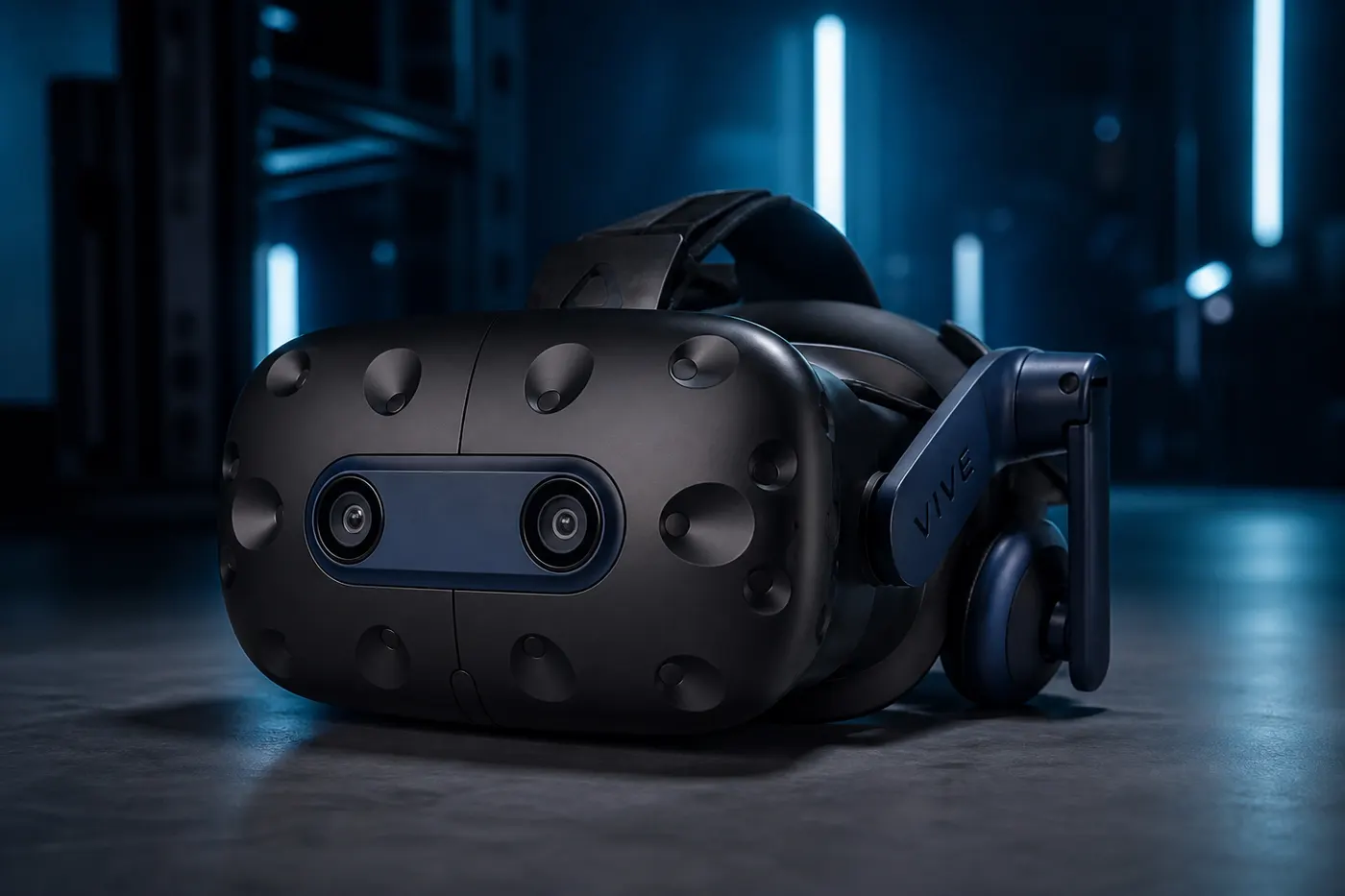
If you’re researching the HTC Vive Pro 2, you’ve likely found reviews that range from glowing to skeptical. Rather than relying on any single opinion, use this practical framework to interpret what you read, verify claims for yourself when possible, and match the headset’s strengths and trade-offs to your own needs. This guide avoids speculation and instead focuses on durable evaluation methods you can apply to any review you encounter.
How to read any VR headset review
Before diving into specifics, calibrate how you read reviews so you can separate signal from noise:
- Define your use cases first. For example: seated sim racing, room-scale action, creative apps, or VR productivity. A review that praises a feature you won’t use—or criticizes something you don’t mind—shouldn’t outweigh your priorities.
- Check test conditions. Headset impressions depend on PC specs, play space, lighting, IPD range, and face shape. Look for reviewers who document setup, environment, and configuration steps.
- Favor methodology over verdicts. The most useful reviews explain how they measured clarity, comfort, tracking, audio, and controller ergonomics, not just whether they “liked” the headset.
- Compare like with like. Cross-compare the same content (e.g., the same game or app) across headsets. Mixed content makes it hard to judge differences meaningfully.
- Separate hardware from software. Visual issues can stem from headset optics, rendering resolution, or app settings. Tracking issues can be placement- or environment-related. Good reviews call out what changed and why.
Core criteria to evaluate
Use these categories as a checklist when parsing any HTC Vive Pro 2 review. Each category includes practical ways to verify or test if you have hands-on access.
Comfort and fit
- Head shape adaptability: Look for adjustable strap range, counterbalance, and pressure distribution on forehead and cheeks.
- Face-interface options: Note foam thickness or alternative gasket options; check for light leakage at the nose.
- Heat buildup and session length: Track how the headset feels after 15, 30, and 60 minutes of play.
- Glasses compatibility: If you wear glasses, confirm clearance and ease of donning/doffing.
Visual clarity and optics
- Text readability: In a desktop or settings menu, evaluate tiny text edges and color fringing.
- Sweet spot size: Move your eyes (not your head) and note how quickly clarity falls off toward the edges.
- Lens artifacts: Watch for glare, god rays, or smearing on high-contrast scenes (white text on black).
- Geometry and color consistency: Look for distortion at the periphery and color shift across the field of view.
Tracking reliability
- Hand stability: Hold controllers still at arm’s length and near the headset; look for jitter.
- Occlusion tolerance: Move hands behind your back or close to your body; test how tracking responds.
- Large, fast motions: In rhythm or boxing titles, confirm that swings and blocks are captured accurately.
- Environmental robustness: Note performance under bright lights, reflective surfaces, or tight spaces.
Audio and microphone
- Spatial cues: In games with positional audio, confirm front/back and vertical accuracy.
- Long-session comfort: Check clamp force and ear coverage for heat and pressure.
- Voice capture: Record short clips; listen for plosives, background isolation, and clarity.
Controls and ergonomics
- Grip shape: Evaluate comfort for small and large hands; notice fatigue in trigger-intensive games.
- Button placement: Confirm you can reach all inputs without shifting grip.
- Weight balance: During fast gestures, note whether controllers twist or drift in your hand.
Setup and maintenance
- Initial pairing and calibration: Time how long it takes from unboxing to first playable moment.
- Room-scale prep: Verify clear guardian/boundary setup and re-centering steps.
- Cable management: If tethered, test movement range, snag risk, and routing solutions.
- Ongoing updates: Note firmware/software update frequency and clarity of release notes.
Hands-on tests you can recreate
If you have a chance to try the headset, these simple tests help you validate review claims without specialized equipment.
- Menu legibility test: Open a settings menu with small fonts. Slowly move your head and observe when letters blur, then re-center and adjust fit until you reach the best clarity.
- Static jitter check: While looking at a fixed point, hold a controller perfectly still in view for 15 seconds; repeat at the edge of the tracking volume.
- Rapid gesture capture: Perform consistent, repeated slashes in a rhythm game and note hit registration and timing consistency.
- Glare and contrast: In a dark scene with bright UI, scan around for streaks or flare. Adjust brightness if available and recheck.
- Comfort over time: Track pressure points at 10-minute intervals. Small strap or pad tweaks can produce big differences—log what works.
Matching a review to your use cases
Great hardware can still be a poor fit for the wrong scenario. Use this decision grid to filter what matters for you.
- Room-scale action: Prioritize tracking robustness, cable management, and controller comfort.
- Seated simulation: Emphasize visual clarity, sweet-spot size, and long-session comfort; consider audio isolation.
- Creative and educational apps: Look for precise controller tracking at slow speeds and accurate color rendering.
- Multiplayer/social: Favor comfort, microphone clarity, and reliable re-centering between users.
- Mixed home/office use: Consider setup friction, firmware stability, and how quickly different users can swap in.
Common review pitfalls to avoid
Reviews can be unintentionally misleading. Watch for these red flags:
- Unspecified settings: Resolution scaling, motion smoothing, and game graphics presets can radically affect perceived clarity and performance.
- One-game verdicts: A single title may not stress the same aspects as your favorite apps.
- Short-session judgments: Comfort and optics often feel different after 30–60 minutes than they do in a quick demo.
- Environment-dependent tracking complaints: Reflective floors, mirrors, or bright windows can skew results; look for mitigation attempts.
- Conflating lens artifacts and rendering: Some “blurry” complaints are actually about app resolution or antialiasing, not optics.
Checklist for comparing multiple reviews
When you’re collating several sources, use a uniform scorecard. You don’t need numbers—just consistent notes.
- Fit/comfort: Strap design, face interface, glasses support, long-session feel.
- Clarity/optics: Text readability, sweet spot, glare, edge consistency.
- Tracking: Stability, occlusion tolerance, latency perception, boundary performance.
- Audio/mic: Spatial accuracy, comfort, voice clarity.
- Controllers: Ergonomics, input reachability, fatigue.
- Setup/updates: First-run friction, calibration reliability, update cadence.
- Content fit: How the reviewer’s library maps to yours.
Maintenance and longevity considerations
Long-term ownership often matters as much as day-one impressions. When a review touches on durability, look for details you can act on:
- Replaceable parts: Face gaskets, straps, and cables are common wear points; note how easily they can be swapped.
- Cleaning routine: Check whether materials tolerate regular wiping and how sweat management is handled.
- Firmware reliability: Stable updates prevent regressions; reviewers should mention if an update changed behavior mid-test.
- Multi-user hygiene: If several people use the same headset, consider wipeable interfaces and quick fit adjustments.
Troubleshooting what reviews often miss
Even thorough reviews can overlook practical fixes. If you test a headset yourself and something feels off, try these steps before forming a final opinion:
- Re-seat the face interface: A small gap at the temples can add glare or reduce clarity.
- Adjust IPD and strap angle incrementally: Move in 1–2 mm or minor angle changes, then re-evaluate clarity.
- Reduce ambient reflections: Cover mirrors and turn off overhead lights; favor diffuse lighting.
- Verify application render scale: Align app and runtime resolution/scaling to avoid unnecessary blur.
- Re-run room setup: Boundary drift or odd controller angles often trace back to a rushed calibration.
FAQ
How do I compare clarity claims across different reviews?
Anchor comparisons to consistent tasks like reading the same in-app menu or desktop text, observing edge-to-edge sharpness, and noting lens artifacts in high-contrast scenes. When reviewers cite clarity, check that they controlled for render resolution and game settings.
What matters more for action games: optics or tracking?
Both matter, but tracking reliability typically has the bigger impact on moment-to-moment play in fast, room-scale titles. Look for reports of controller jitter, occlusion tolerance, and boundary performance before weighting optical nuances.
How long should I test comfort before deciding?
Plan at least a 45–60 minute session, making small strap, pad, and IPD tweaks every 10 minutes. Many comfort issues resolve with incremental adjustments; persistent hot spots after an hour are more telling than first impressions.
Why do some reviews disagree so much on the same headset?
Differences often come from test environments, content choices, face shapes, IPD ranges, and PC configurations. Reviews grounded in transparent methodology—and that disclose these variables—are more reliably comparable.
What’s the best way to validate a reviewer’s conclusions?
Replicate their tests if possible: the same game, similar graphics settings, and analogous lighting. If you can’t test directly, triangulate by reading multiple method-driven reviews that report their setup details.
A simple decision framework
Use this three-step approach to turn scattered review notes into a confident decision.
- List your top five must-haves in order (e.g., tracking stability, long-session comfort, text clarity, audio isolation, quick setup).
- Score each review source against those must-haves using short notes (e.g., “strong tracking in bright room,” “minor glare on white text,” “easy multi-user fit”).
- Identify non-negotiables versus fixables (strap swaps, lighting changes, calibration tweaks). Prioritize headsets that meet your non-negotiables and have fixable shortcomings.