
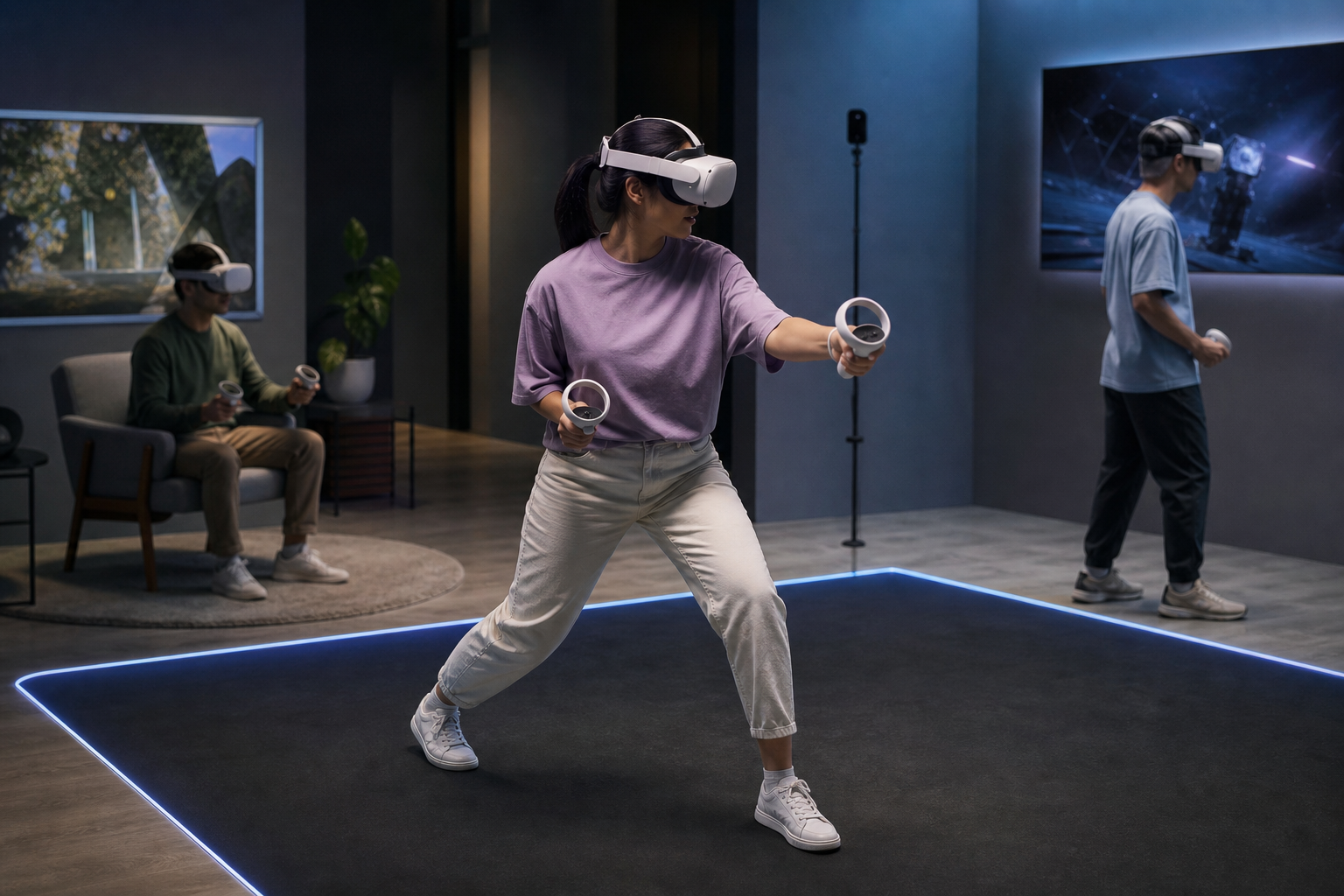
How does room-scale VR work compared to seated and standing VR?
Room-scale VR makes a cleared physical area part of the virtual world so players can walk, reach, duck, and physically explore. Seated VR keeps the user in one chair and tracks head rotation, while standing VR allows turning and limited steps but does not support free walking. This comparison explains how room-scale VR works, the tracking methods that enable it, minimum play-area guidance, safety and accessibility considerations, and what visitors should expect when booking a session at The Next Level in London, Ontario.
Core components that make room-scale VR possible
Room-scale VR combines hardware and software to track user position and actions in three dimensions. The core components are:
- Headset with positional tracking, which reports head position and orientation in real time and may include built-in cameras or external sensor inputs.
- Motion controllers that register hand position and button inputs for interaction.
- Tracking system that locates headset and controllers within the play area. This can be outside-in (base stations) or inside-out (cameras on the headset).
- Guardian or chaperone boundary that defines safe play limits and warns users when they approach real-world obstacles.
- Software and fusion algorithms that combine sensor feeds, correct latency, and maintain a stable, low-latency virtual view.
Commercial venues favour hardware and configurations that deliver repeatable tracking and fast turnarounds between sessions. For example, The Next Level uses HTC Vive Pro headsets with room-scale tracking and motion controllers to support active, multiplayer play and themed escape rooms.
Play-area and safety checklist for room-scale VR
Safe room-scale play begins with a cleared, measured area and staff-enforced rules. Industry guidance for mixed-reality minimum clearance recommends about 1.5 m by 2 m (approximately 5 ft by 7 ft) of unobstructed space for true room-scale movement. That baseline helps lower collision risk and minimize tracking interruptions. See Microsoft’s setup guidance for this published minimum recommendation.
Use this checklist when choosing a venue or setting up a home play area:
- Clear floor area: remove furniture, cords, and loose objects from the play zone.
- Enable the guardian boundary and verify it matches the cleared area before play begins.
- Footwear and clothing: wear flat, closed shoes and comfortable clothes that allow bending and reaching.
- Staff briefing: expect a short orientation on controls, the boundary system, and how to pause or exit an experience.
- Hygiene: confirm face-pad cleaning and disposable cover policies between users.
- Emergency stop: know how to pause or remove the headset quickly if a player feels unwell.
For venue-specific setup and safety advice, consult The Next Level’s room scale VR guide or the Microsoft mixed-reality setup documentation for minimum-space recommendations.
Tracking types and their trade-offs
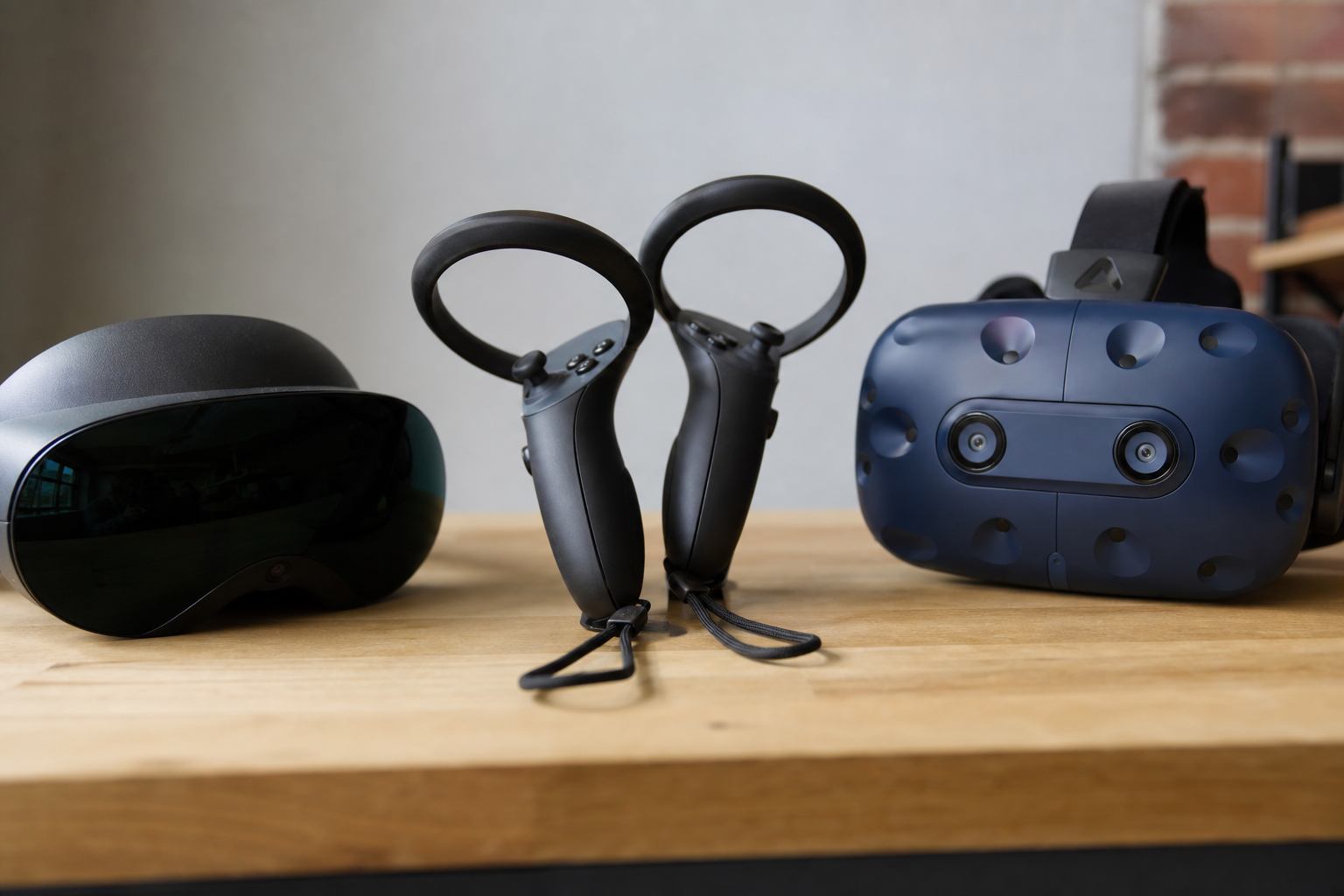
Outside-in tracking (base stations or external sensors)
Outside-in systems use fixed base stations or external cameras that observe markers on the headset and controllers. Advantages include high positional accuracy, low latency, and consistent performance during fast, physical play. The main disadvantages are longer initial calibration and a requirement to keep base stations unobstructed during play. Many commercial arcades choose outside-in setups for stable multiplayer experiences and precise positional tracking.
Inside-out tracking (headset cameras and onboard sensors)
Inside-out systems put cameras and sensors on the headset to map the environment and determine position. They reduce external setup and are simpler to move between stations, but they can be vulnerable to temporary occlusion when controllers are blocked by the player’s body or objects. Inside-out tracking works well for flexible or compact installations, but operators must test titles that require fast or unpredictable hand motion.
Both tracking approaches rely on software to align the real and virtual coordinate spaces and present the guardian boundary. Choice of system affects setup time, pod turnover, and how reliably the system tracks intense movement.
Room-scale versus seated and standing VR: how to decide
Select the mode that matches your goals, group composition, and accessibility needs. These decision criteria help:
- Immersion: room-scale provides the deepest immersion for exploration, physical puzzles, and active multiplayer. Seated VR suits cockpit, narrative, or passive experiences where full-body movement is unnecessary.
- Physical activity: room-scale involves walking and reaching. Standing allows limited movement and in-place stepping. Seated is lowest effort and easiest for guests with mobility limits.
- Space: room-scale needs cleared floor and reliable boundaries. Standing and seated modes require much less physical clearance.
- Group fit: for birthday parties, escape rooms, or team-building events that benefit from shared physical activity, room-scale typically creates more memorable moments. For casual or accessibility-focused bookings, seated sessions may be preferable.
- Learning curve: seated and standing sessions are generally faster to onboard. Room-scale requires a short calibration and practice time for first-time players.
Recommendation summary for planners: choose room-scale for energetic, collaborative experiences; choose seated for accessibility and long narrative sessions; choose standing for short, active games that do not require walking.
What to expect at a room-scale arcade like The Next Level
Commercial room-scale arcades provide managed setups to reduce friction for beginners and groups. The Next Level operates 22 gaming pods and 24 to 25 HTC Vive Pro headsets across a 4,000+ square-foot facility. Expect the following on arrival:
- Check-in and a brief staff safety talk.
- Headset fit and controller pairing by an attendant.
- Guardian boundary setup and a short calibration walk-through.
- Timed play session with staff monitoring and spectator viewing via wall-mounted TVs in party areas.
- Headset cleaning and a short debrief between groups to prepare the next players.
The venue supports online reservations and offers private party space and multiple VR escape rooms for teams. These features make group bookings and school trips easier to coordinate compared with ad hoc home setups.
Booking and event checklist for groups

- Confirm group size and split guests into pods or escape-room teams that match venue capacity.
- Reserve buffer time for staff briefings and practice runs for first-time players.
- Ask about spectator space, AV in the party room, food policies, and storage options.
- Confirm age minimums and mobility accommodations in advance.
- Plan staggered start times so staff can manage hygiene and controller handoffs between sessions.
Use the venue’s booking page to check availability and to request any special arrangements.
Common concerns and practical mitigations
Motion sickness
Motion sickness occurs when visual motion conflicts with the inner ear’s sense of movement. Mitigation strategies include picking titles with limited artificial locomotion, starting with shorter sessions, keeping the headset well fitted, and taking regular breaks. Venues should offer immediate pause and exit options.
Accessibility and age
Seated VR is the most accessible option for players with limited mobility. Arcades should disclose age limits and recommend minimum ages for fast-paced titles. Ask staff about adaptive controls or gameplay settings that reduce required motion.
Hygiene and equipment fit
Commercial operators should clean face pads between users and provide disposable covers. Correct headset fit prevents pressure points and improves tracking and comfort. Confirm cleaning policies when you book.
Onboarding beginners
First-time players often need help with calibration and controller use. Professional staff, short practice levels, and patient instruction are the fastest way to reduce onboarding friction for groups and school visits.
Frequently asked questions
How much space do I need for room-scale VR?
Industry guidance suggests a minimum of about 1.5 m by 2 m (5 ft by 7 ft) of clear space for a room-scale experience. This baseline helps ensure you can walk, bend, and reach without hitting furniture. Microsoft documents this minimum in their mixed-reality setup guidance.
Is room-scale VR safe for children and school groups?
Room-scale VR can be safe for supervised children and school groups when the venue enforces age policies, verifies clear play zones, and provides staff-led briefings. Ask the venue about recommended minimum ages, supervision ratios, and any content restrictions before booking.
What causes motion sickness in VR and how can I reduce it?
Motion sickness results from mismatches between visual motion and the vestibular system. Reduce the risk by choosing experiences with limited virtual locomotion, starting with short sessions, keeping the headset fitted correctly, and taking breaks. Staff should pause or end a session if a player feels unwell.
What should I wear and bring to a room-scale VR session?
Wear comfortable clothing and flat, closed shoes. Avoid loose scarves or jewelry that could catch on equipment. Bring any necessary mobility aids and notify staff in advance so they can prepare appropriate accommodations. Request disposable face covers at check-in if you prefer.
Can I book a private party room or group pod session at The Next Level?
Yes. The Next Level offers private party space, pod-based sessions, and VR escape rooms. Reservations are handled online through the venue’s booking system; check the website for availability and specific booking policies.
For venue details, reservations, and the room-scale safety guide, visit The Next Level website: the official website
Ready to plan your visit? Book online and tell staff about any access needs so your group gets the right setup and briefing for a safe, fun, room-scale experience.