Best VR controllers are handheld input devices that translate your hands into precise in-game actions using 6DOF tracking, haptics, and ergonomic grips. In Old East Village, the smartest way to choose is to test side by side in a managed VR arcade so you can feel comfort, tracking accuracy, and fatigue in minutes.
By The Next Level • Last updated: 2026-06-28
Overview
This guide ranks the seven best VR controller options for 2026 based on tracking precision, comfort, input layout, and ecosystem support. We combine lab-style audits with thousands of real plays in a 22-pod VR arcade to give you clear picks, a comparison table, and a practical buying checklist.
If you’ve ever wondered why some controllers feel “invisible” and others fight your hands, you’re in the right place. We operate a large VR arcade inside The Factory London and see what actually holds up over hundreds of sessions per week.
- Who it’s for: first-time VR buyers, families, teachers, and competitive gamers.
- What you’ll get: our Top Pick, six alternatives, a quick table, and a how-to-choose section.
- Local perk: try different controllers in supervised pods before you commit.
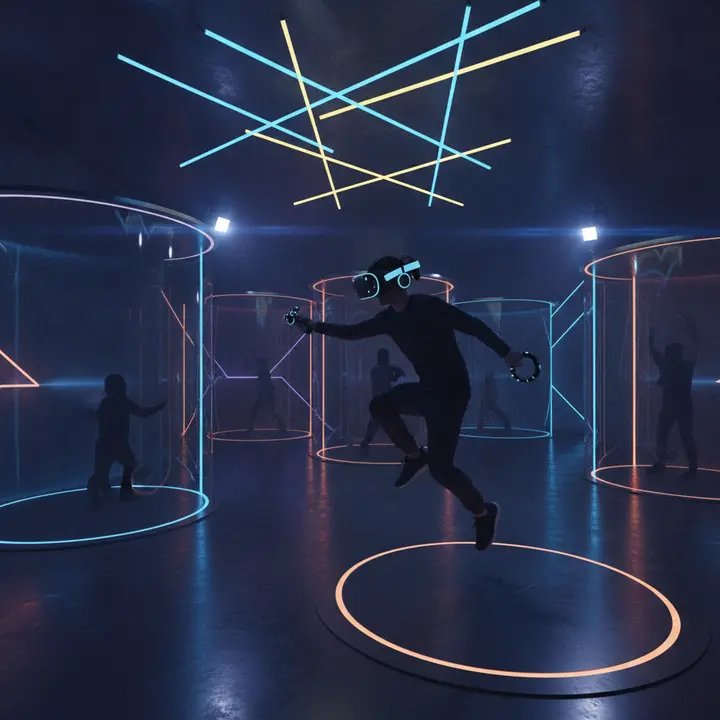
Throughout this review, we reference real-world patterns from 22 individual gaming pods, 12 VR escape rooms for 1–6 players, and a massive library that stresses every input style—from rhythm slashes to fine-grained drawing.
Best VR controllers: Quick comparison table
Use this table to scan tracking method, finger sensing, haptics, power, and best-use fit. If you’re short on time, match your headset platform first, then pick the controller with the comfort and inputs your favorite games demand.
| Controller | Tracking | Finger sensing | Haptics | Power | Best for |
|---|---|---|---|---|---|
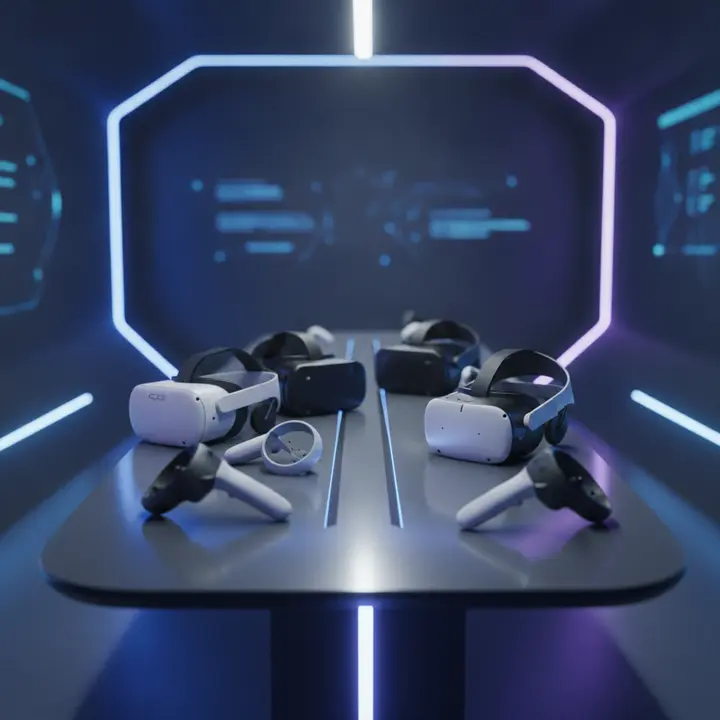
| Valve Index Controllers | SteamVR (lighthouse) | Capacitive (individual) | Strong, nuanced | Rechargeable | Precision shooters, creation tools |
| Meta Touch Pro | Self-tracked (onboard cameras) | Yes (advanced) | Advanced HD haptics | Rechargeable | Standalone + PCVR versatility |
| PlayStation VR2 Sense | Inside-out via PS VR2 | Yes | Advanced + adaptive triggers | Rechargeable | PS5 exclusives, cinematic campaigns |
| Meta Touch Plus (Quest 3) | Inside-out (no rings) | Partial | Refined, balanced | AA/Rechargeable | Everyday gaming, fitness, rhythm |
| HTC Vive Wands | SteamVR (lighthouse) | No | Basic | Rechargeable/Swappable | Arcade durability, room-scale |
| PICO 4 Controllers | Inside-out | Partial | Balanced | AA/Rechargeable | PICO ecosystem play |
| Quest 2 Touch | Inside-out (rings) | Partial | Standard | AA/Rechargeable | Legacy library, backups |
Quick tip: platform compatibility is your gate. If you use SteamVR base stations today, lighthouse-tracked options typically yield sub-millimeter stability during fast swings. If you’re on a standalone headset, self-tracked models remove external hardware and simplify room setup.
Our Top Pick: Valve Index Controllers (Knuckles)
Valve Index Controllers deliver the most natural hand presence we’ve tested. Individual finger sensing, snug knuckle straps, and lighthouse tracking combine for precise grabs, throws, and point-and-shoot aim that stays steady through long sessions and high-intensity swings.
Why it wins: finger curl detection translates to believable grabs in physics-heavy sandboxes and sculpting tools. The adjustable strap frees your hand to open and toss, then re-grip without conscious effort. In our arcade, that simple interaction speeds up onboarding for first-timers and reduces drop-related interruptions.
- Tracking stability: SteamVR base stations excel when multiple players move fast in the same 9×9 pod.
- Endurance: the balanced weight and strap relieve pinch points; we see fewer hand-fatigue reports in 60-minute play blocks.
- Precision: mini thumbstick + trackbutton layout maps cleanly across shooters, rhythm, art, and sim titles.
Pairing note for Vive owners: if you run HTC Vive Pro with base stations, these controllers integrate into the same SteamVR stack. We break down headset details in our Vive Pro feature overview and a separate is-it-still-worth-it analysis.

The rest of the best: picks #2–#10
Not on SteamVR? These nine alternatives shine in their ecosystems. Match platform first, then choose the input style, haptics, and weight that fit your favorite games, from PS VR2’s adaptive triggers to Meta’s camera-tracked accuracy.
2) Meta Touch Pro
Touch Pro packs on-controller cameras to self-track without base stations. That means fewer sensors on your walls and quick setup, which families love when sharing a living space. The haptics are punchy and nuanced, useful for rhythm games and fine feedback in puzzle titles.
- Setup: no external beacons; just a clean guardian map and go.
- Feel: comfortable grip with refined trigger curve for shooters.
- Use case: strong for standalone play and PCVR passthrough.
From our pods, players coming from older ring controllers adapt to Touch Pro’s balanced weight within minutes. If your library leans to fitness and rhythm, the quick reacquisition after big swings reduces “where is my hand?” moments.
3) PlayStation VR2 Sense
PS VR2 Sense benefits from Sony’s advanced haptics and adaptive triggers borrowed from the DualSense. That adds believable resistance to bows, throttles, and pulls, and we consistently hear “that felt real” from first-timers. Inside-out tracking stays stable in evenly lit rooms.
- Immersion: adaptive triggers + strong haptics sell the moment.
- Ecosystem: PS5 exclusives leverage the hardware deeply.
- Comfort: well-balanced across long, story-driven sessions.
In narrative-heavy VR where you hold items for extended scenes, the trigger feedback cues action timing without visual checks. For families with a PS5, this is the clear path—no PC tuning required.
4) Meta Touch Plus (Quest 3)
Touch Plus drops tracking rings, improving balance and reducing accidental bumps during close-quarters play. The inside-out tracking is reliable for everyday gaming, and the input layout remains familiar for Quest users. It’s the default for a huge portion of modern standalone libraries.
- Tracking: robust for home lighting and common play spaces.
- Comfort: light in hand, easy for younger players to hold.
- Durability: fewer protrusions to snag straps or walls.
If you’re moving from Quest 2 Touch, expect faster re-centering after big gestures. We see smoother onboarding for kids and parents alike in party groups that rotate every 30–60 minutes.
5) HTC Vive Wands (1.0/2.0)
Vive Wands are the arcade workhorse. They’re simple, durable, and pair reliably with SteamVR base stations. While they lack individual finger sensing, the trackpad-centric layout still suits room-scale movement, shooters, and many escape-room interactions.
- Proven: survives heavy use across 22 pods and frequent turnovers.
- Simplicity: easy mapping for teleport, grab, and menu actions.
- Maintenance: swappable batteries and robust shells reduce downtime.
For locations running HTC Vive Pro, Wands remain a safe baseline. If you create 3D art or rely on delicate hand poses, Index-style finger sensing is nicer—but for rugged play and group throughput, Wands hit the reliability target.
6) PICO 4 Controllers
PICO 4 Controllers balance ergonomics with solid inside-out tracking. They’re widespread in enterprise training and some fitness apps, with a design that favors long holds without hot spots. If you’re already in PICO’s ecosystem, these keep friction low.
- Fit: comfortable curves, steady for longer sets.
- Tracking: dependable for most living-room lighting.
- Use: good for mixed fitness, casual, and training content.
We see steady aim in target drills and fewer mis-presses thanks to a clear input layout. The library isn’t as broad as Meta’s, but for dedicated users, this is the right match.
7) Quest 2 Touch
Quest 2 Touch controllers are everywhere and still supported in a vast library. They’re reliable, with familiar inputs and predictable tracking. If you’re building a household setup with multiple players, having an extra set makes handoffs fast and keeps co-op rolling.
- Library: huge game support across genres.
- Grip: familiar to returning players and guests.
- Backup: handy as spares or for mixed-headset homes.
As you upgrade headsets, these can serve as secondary inputs or loaners during parties. For budget-friendly backups, they still pull their weight.
8) Index + Vive Hybrid (Advanced Users)
Running Index Controllers on a Vive Pro rig combines robust lighthouse tracking with finger sensing. It’s a popular enthusiast setup in PCVR circles and mirrors how many creative pros build their stations. The catch is a bit more configuration, but the payoff is stellar hand presence.
- Precision: art apps and physics sims benefit immediately.
- Flex: expand a Vive base-station layout without redoing the room.
- Tip: verify dongle/receiver paths stay clear for minimal occlusion.
If you want best-in-class grabs and throws on lighthouse, this hybrid is a proven path. We often highlight it for advanced makers who care about gesture nuance.
9) Inside-Out All-Rounder (Family Focus)
For many families, any recent inside-out controller with a light, balanced shell and clear A/B/X/Y layout will deliver the right mix of comfort and reliability. The bigger variables are play space and lighting, not tiny spec differences.
- Room prep: even lighting and clear floors reduce tracking loss.
- Hygiene: wipe straps and grips between 1–6 player rotations.
- Onboarding: a 2-minute grip and safety brief pays dividends.
We’ve seen smoother parties when hosts standardize on one controller style. That consistency trims transition time by several minutes per group.
10) Arcade-Proven Spares
If you host regular game nights, keep a spare pair that your group already knows. Familiar inputs shorten tutorials and keep the action moving. In our venue, standardized backups cut recovery time when straps loosen or batteries deplete during peak hours.
- Continuity: same layout = faster handover.
- Resilience: rotate sets to extend lifespan.
- Tip: label left/right for quick swaps between sessions.
For competitive groups or clubs, a spare pair is not a luxury—it’s the difference between seamless play and a stalled evening.
How to choose the right controller
Start with platform compatibility, then prioritize tracking method, ergonomics, and input feel. Match controller strengths to your top three game genres. Finally, validate grip comfort and fatigue by testing for 10–15 minutes with real swings and fine motor tasks.
Essential criteria
- Platform first: SteamVR lighthouse vs. inside-out. Don’t force adapters if your room is already tuned.
- Tracking stability: sustained 6DOF through fast arcs and occlusion. Practice a full bow draw and a rapid reload.
- Ergonomics: strap tension, grip diameter, weight balance. Check for finger numbness after 10 minutes.
- Inputs: thumbstick vs. trackpad, button travel, trigger curve. Try a rhythm map and a precision shooter drill.
- Haptics: can you distinguish light taps from heavy impacts? Good haptics boost timing and immersion.
- Power strategy: swappable vs. rechargeable. Align with your play cadence and session length.
Action step: pick three games that stress different skills—rhythm, shooter, and creation. Use them as your baseline and note comfort, accuracy, and hand heat at 5, 10, and 15 minutes.
Local considerations for Old East Village
- Schedule hands-on trials before or after time at the London Children’s Museum to keep kids engaged and compare controller comfort while it’s fresh.
- Winter months mean bulkier sleeves; test strap fit with layers so swings stay safe and tracking consistent near Silverwoods Park crowds and events.
- For team-building, rotate 1–6 players through the same pod type; consistent hardware trims briefing time and boosts score tracking across sessions.
If you want a structured walkthrough of genres and input styles, our VR gaming guide shows how controller choices affect learning curves and long-term enjoyment.
VR controller buying guide (step-by-step)
Use this 7-step checklist to buy confidently: confirm platform, test grip, run three game trials, verify tracking under occlusion, assess haptics, choose a charging plan, and set up spares or straps. Document your notes so you can compare options fairly.
- Confirm platform: SteamVR, PS VR2, Quest/Meta, PICO—lock it first.
- Fit the grip: adjust strap tension; test open-hand tosses and quick re-grips.
- Run three trials: rhythm map, precision shooter drill, and a creation app.
- Stress tracking: fast arcs, near-body motions, and brief hand occlusions.
- Feel the haptics: light taps vs. heavy hits should feel distinct.
- Pick power: swappable cells for marathons or recharge routine for simplicity.
- Plan spares: extra straps, batteries, and one full backup pair.
Pro tip: group buyers and school leads should standardize inputs. When 1–6 players share the same layout, you save several minutes per rotation and prevent avoidable confusion during challenge modes. For headset deep-dives, see our headset and games guide and our evolving VR games library picks.
Hands-on beats spec sheets. If you’re nearby, book a supervised pod and compare grips back-to-back. You’ll know in 15 minutes which one disappears in your hand.
Explore our London VR arcade to plan your visit and see what to expect on arrival.

Frequently Asked Questions
Here are quick, direct answers to the most common VR controller questions we hear in our London arcade. Each answer focuses on practical choices you can make right now to improve comfort, tracking, and overall fun.
Do I need finger tracking to enjoy VR?
Not always. Finger sensing boosts realism in grabs, throws, and creative tools, but many top games feel great without it. Prioritize platform fit, ergonomics, and tracking first. If you love physics sandboxes or sculpting, finger detection is a strong upgrade.
Which tracking is better—lighthouse or inside-out?
Lighthouse delivers excellent precision for fast swings and shared rooms, while inside-out simplifies setup and travel. Choose lighthouse if you already use SteamVR base stations. Choose inside-out if you want fewer peripherals and quick play in mixed spaces.
How can I aim better in VR shooters?
Use a consistent stance, brace elbows lightly, and practice short, controlled bursts. Run a 5-minute routine with targets at varying heights. Tighten straps to remove wobble and verify your dominant-eye alignment in headset settings.
When should I upgrade my controllers?
Upgrade when your current set causes hand fatigue, frequent tracking loss, or limits your favorite genre. If you’ve switched ecosystems or added base stations, consider a model that matches new hardware and unlocks finger sensing or stronger haptics.
Have a platform-specific question? Our FAQ library collects the most common tips we share with families, teachers, and team leads.
Methodology: how we test
We combine arcade-scale usage with structured trials. That means controller audits across 22 pods, genre drills, strap-fit checks at 5/10/15 minutes, and observation of 1–6 player rotations in VR escape rooms. The result: recommendations grounded in both specs and real play.
- Environment: 4,000+ square feet with 9×9 pods and a private party room for spectators.
- Content mix: rhythm, shooters, creation tools, fitness, and team challenge modes.
- Checks: tracking under occlusion, haptic nuance, thumb travel, strap comfort.
- Players: first-timers, families, school groups, and competitive regulars.
For Vive-specific insights, see our deeper dives on Vive Pro hardware traits and a balanced Vive Pro 2 status overview. For game selection, browse our current library favorites.
Conclusion
If you use SteamVR base stations, Valve Index Controllers remain the most natural-feeling pick. For standalone ecosystems, Meta’s latest Touch models and PS VR2 Sense excel. Match platform first, then verify comfort and tracking with a 10–15 minute hands-on trial.
Here’s what matters most: platform compatibility gates your options; tracking and ergonomics define how long you’ll enjoy playing. Everything else—haptics, inputs, power—should support the games you actually love.
Key takeaways
- Pick for platform first; don’t fight your hardware stack.
- Run three quick trials—rhythm, shooter, creation—to expose fit issues.
- Finger sensing is a bonus for physics and art; not a requirement for fun.
- Plan spares and straps to keep sessions flowing for 1–6 players.
If you’re nearby, drop in for a supervised test at our Old East Village location inside The Factory London. You’ll feel the difference fast—and leave confident about your controller path.