
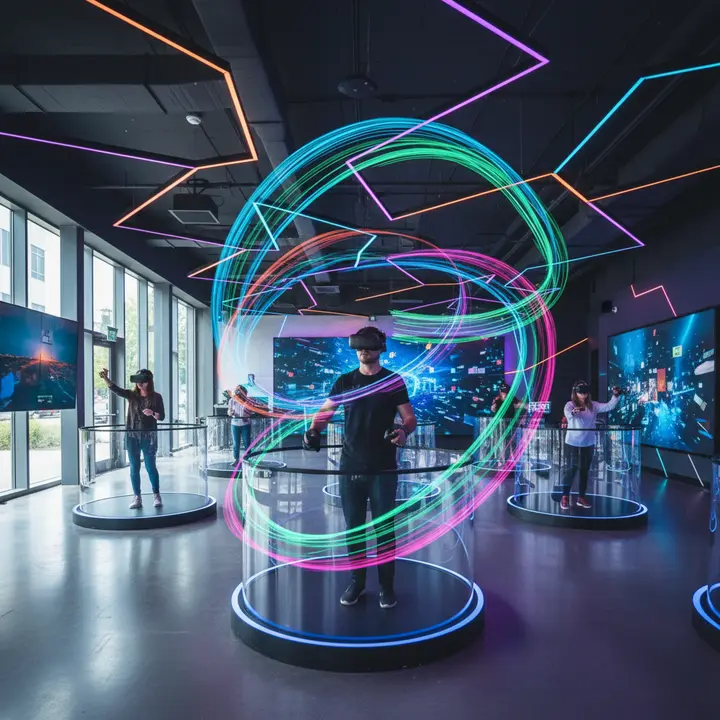
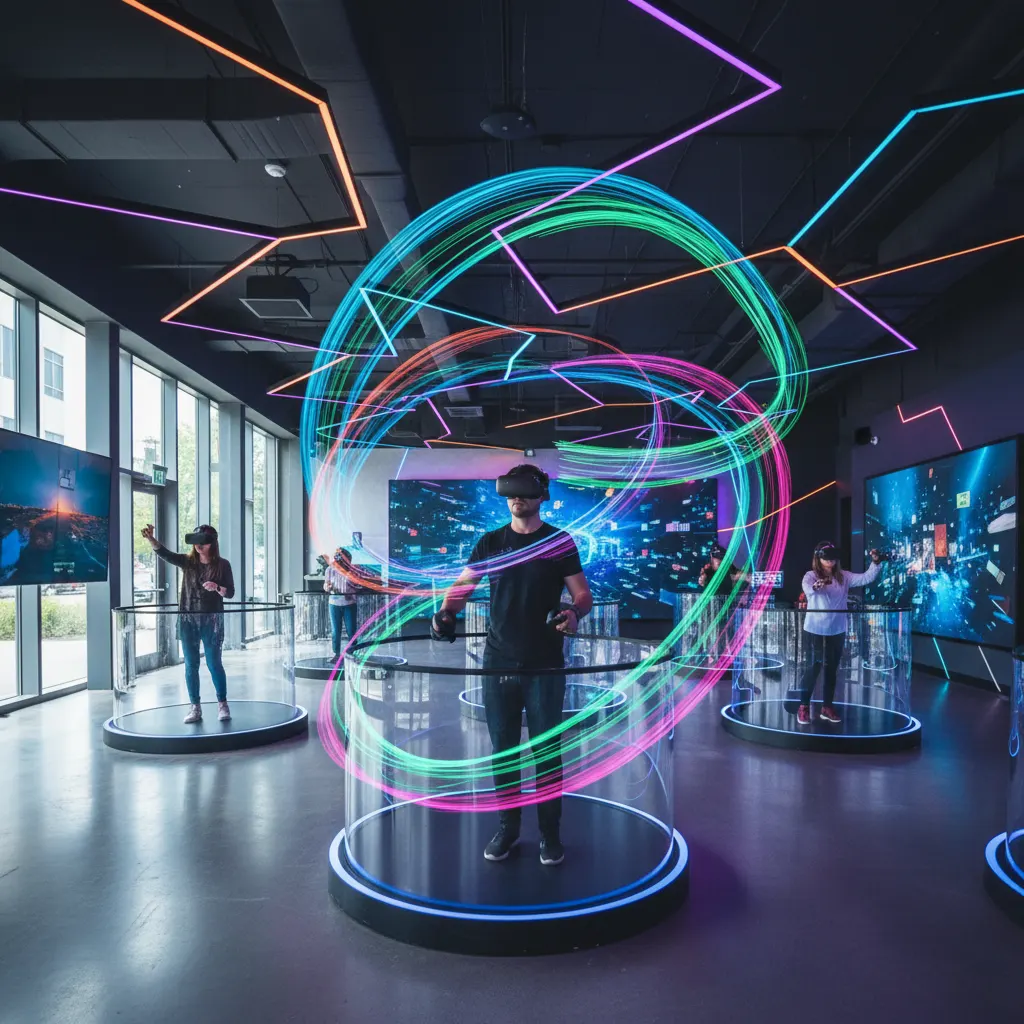
VR art is the practice of creating and viewing artwork inside immersive virtual reality headsets. At The Next Level inside The Factory (100 Kellogg Lane, London, Ontario), guests use room-scale headsets to paint, sculpt, and design in full 3D space. It matters because anyone—from first-timers to pros—can build expressive, walkable art.
By The Next Level | Last updated: 2026-05-14
Quick Summary & Table of Contents
This complete 2026 guide explains what VR art is, why it matters, how it works, and how to create, collaborate, and share your work at The Next Level in London, Ontario. Use our step-by-step workflows, tool picks, local tips for Old East Village, and examples drawn from our 22-pod VR arcade.
Want the fast track? Skim this overview, then jump to what you need most.
- What is VR art?
- Why it matters
- How VR art works
- Types of VR art
- Best practices
- Tools & resources
- Case studies & examples
- FAQ
- Conclusion & next steps
- Related articles & resources
What Is VR Art?
VR art is digital artwork created or experienced inside a virtual reality headset using hand controllers and spatial tracking. Artists paint, sculpt, and animate in a 3D canvas at room scale. At The Next Level, you can stand, move, and walk through your creation, which transforms how scale, color, and composition feel.
Putting on a headset turns the air around you into a studio. Brushes become motion-tracked controllers. Your canvas becomes the space itself.
- 3D painting: Draw volumetric strokes you can orbit around.
- Spatial sculpting: Shape forms, carve details, and tweak proportions.
- Immersive staging: Arrange light, color, and motion in full 360 degrees.
- Embodied viewing: Walk through, under, and around your piece to judge impact.
The Next Level supports this with 22 individual pods and room-scale tracking. That means your gestures map precisely to brushwork, and your feet define the vantage point—powerful shifts from flat screens.

Why VR Art Matters for Creators and Communities
VR art expands what’s possible for beginners, students, and professionals by removing 2D limits and inviting the whole body into the creative process. It improves spatial thinking, speeds iteration, and turns exhibitions into participatory experiences families and teams can explore together.
Here’s the thing: when you sculpt at life scale, design decisions click faster. You feel proportions. You sense flow. That’s why creators across London are adding immersive tools to their process.
- Faster iteration: Test composition, lighting, and scale within minutes.
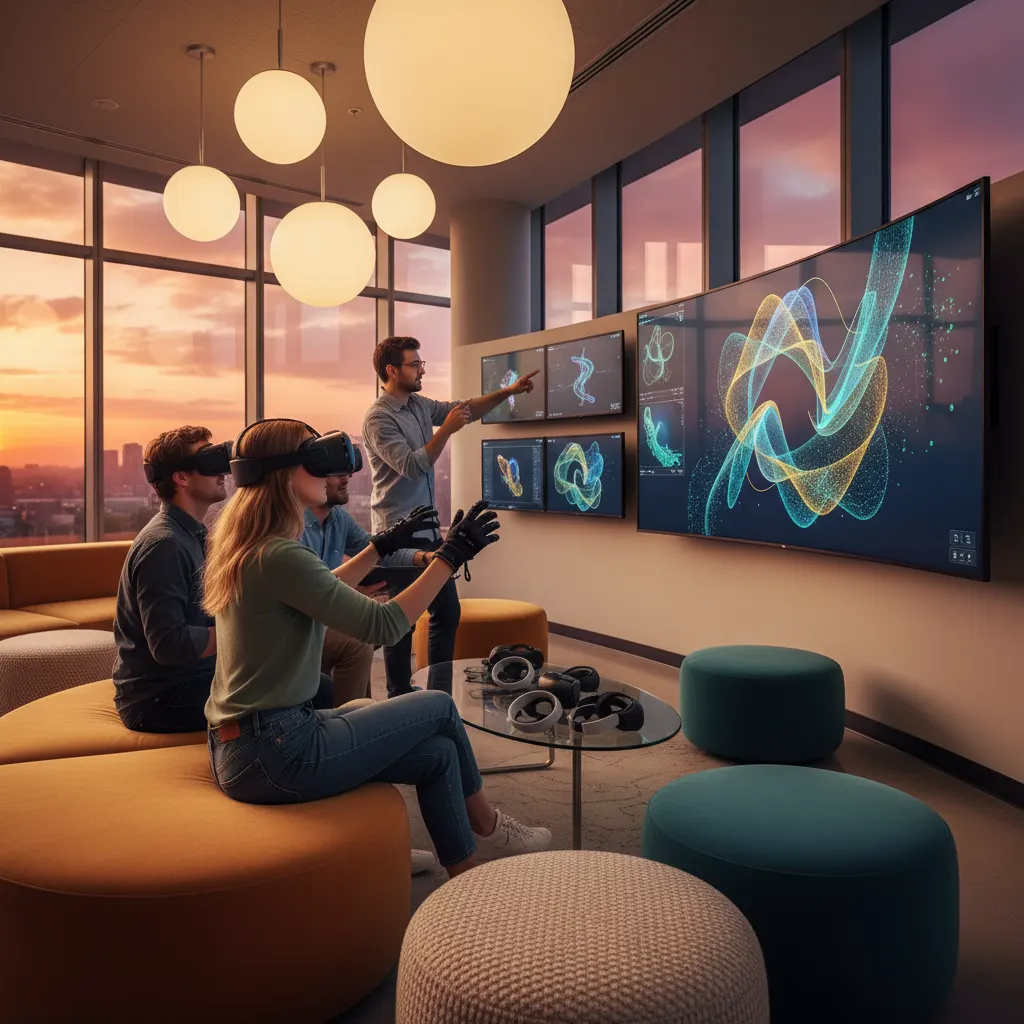
- Shared viewing: In our private party room, friends watch on large TVs while you build.
- Learning impact: Students grasp 3D relationships by walking around them.
- Inclusive fun: Mixed‑skill groups can create together, guided by staff and on-screen tips.
The Next Level’s continuously updated library also helps you progress. Try a painterly tool today, a sculpting environment tomorrow, and a mixed-reality experiment next week—without buying hardware.
How VR Art Works (Hardware, Software, Space)
VR art relies on room-scale headsets, motion controllers, and creative apps running on powerful PCs. At The Next Level, HTC Vive Pro headsets and 9×9 pods track your hands and movement with precision. You create standing or seated, while observers follow along on mounted displays.
In practice, three ingredients make immersive creation feel natural at our arcade inside The Factory London:
- Headsets: High‑resolution optics, spatial audio, and accurate tracking deliver presence.
- Controllers: Your “brushes” and “chisel” are mapped to natural wrist and arm motions.
- Room-scale space: Each pod gives you freedom to turn, step, and frame shots safely.
Creators also benefit from the social setup: spectators in the party room or beside pods can cheer, suggest ideas, and capture photos of screen output for sharing.
Creation modes compared
| Mode | Best for | Pros | Watch-outs |
|---|---|---|---|
| Room-scale (standing) | Expressive, full-body painting/sculpting | Natural gestures, lifelike scale, immersive views | Mind your boundaries; take short breaks between takes |
| Seated (chair or stool) | Detail work, longer sessions | Stable posture, fine control | Check reach for tools mapped to controller buttons |
| Mixed reality (passthrough) | Blending real props with virtual strokes | Grounded sense of space, creative hybrid options | Lighting in room can influence perceived contrast |
Curious about headset capabilities? See our overview of HTC Vive Pro features for display, tracking, and comfort details you’ll feel the moment you pick up the controllers.
Types of VR Art Experiences You Can Try
At The Next Level, you can jump into expressive painting, volumetric sculpting, collaborative builds, educational design labs, and even exhibition-style showcases in our party room. Each style leverages room-scale tracking so your brushstrokes and models feel life-size and physically present.
Think of “VR art” as a family of creative modes. Try two or three in one visit to see what clicks.
- Painterly worlds: Draw light, particle effects, and ribbon strokes to sketch scenes.
- Volumetric sculpting: Carve characters, props, and abstract forms in 3D.
- Design labs for schools: Build molecules, bridges, or habitats for project-based learning.
- Collaborative builds: Share a theme (e.g., “garden city”) and divide roles in adjacent pods.
- Show & tell: Use the party room’s large TVs for mini‑exhibitions families can watch.
- Hybrid play: Warm up with a creative app, then switch to a multiplayer game to celebrate.
For structured group fun, explore our VR escape rooms (12 themes for 1–6 players). These aren’t “art tools,” but they sharpen spatial communication—handy for future builds.
Best Practices for First-Time and Advanced Creators
Start with a simple theme, set a 10–15 minute sketch timer, and build in layers: gesture, structure, then detail. Use our pods’ room-scale boundaries to check silhouette from multiple angles. Save versions often, and showcase progress on our wall-mounted TVs to invite feedback.
In our experience, small constraints lead to better starts. Here’s a starter playbook our staff uses when introducing new creators.
Fast-start workflow (30–45 minutes)
- Pick a prompt: A creature, a logo in 3D, or a “room you’d love to visit.”
- Set a timer: 10 minutes of big strokes only—no detail yet.
- Block volumes: Rough in shapes; walk around for proportion checks.
- Add detail: Spend 10–15 minutes on features that sell the idea.
- Light it: Adjust color and contrast for screenshots and crowd viewing.
- Share: Capture screen output; invite feedback from friends or family.
Quality tips we teach in-pod
- Use scale to your advantage: Enlarge models for cleaner edges, then shrink.
- Walk the silhouette: Step around your piece to spot lopsided areas fast.
- Alternate pace: Switch between swift gesture passes and slower detail passes.
- Snapshot checkpoints: Save versions you can roll back to if an idea drifts.
- Comfort first: Adjust headset fit and take micro-breaks between passes.
Working with kids or a corporate team? Align on a simple theme up front—shared direction makes the rest smoother.
Soft CTA: Ready to try this playbook with friends, students, or coworkers? See our VR arcade overview and our quick group booking tips to plan a smooth creative night.
Tools and Resources for Making and Sharing
You’ll create with motion controllers in roomy pods, then capture stills or-screen recordings for sharing. Our staff helps you choose apps, manage saves, and display work on big TVs in the party room. For deeper prep, review beginner guides and headset features before your visit.
Creators often ask which tools to start with. Our team curates options and sets you up quickly.
- In‑pod choices: Painting and sculpting apps selected for clarity and comfort.
- Saving work: Save versions in‑session; staff can help export screenshots to your phone.
- Showtime: Use the party room’s screens to turn builds into mini exhibits.
- Pre‑read: Our VR beginner tips explain comfort, stance, and pacing basics.
- Hardware context: Review Vive Pro features to see how optics and tracking support fine detail.
Local considerations for Old East Village
- Turn a build session into a family day: pair your visit with the nearby London Children’s Museum for creative inspiration before you sculpt.
- Winter evenings get busy; consider weekday slots to keep your creative rhythm uninterrupted.
- For team workshops, arrive 15 minutes early to sync on goals; our staff will map pods and the party room so everyone knows where to collaborate.
Planning a bigger showcase or VR demo? Venue tech primers like this piece on virtual event tour technology offer extra context for screen displays, traffic flow, and guest experience.
Case Studies and Real Examples from The Next Level
Our 22 pods, party room, and 12 VR escape rooms support diverse creative goals. Families build exhibits together, school groups prototype lessons, and corporate teams practice fast collaboration. Each story shows how room-scale tools, clear prompts, and shared screens turn imagination into walkable results.
Family “gallery night” (Old East Village)
- Goal: Two siblings wanted to co‑create a glow-in-the-dark garden.
- Setup: Adjacent pods; parents watched on the party room TVs.
- Process: 10‑minute sketch, 20‑minute detail, 5‑minute showcase.
- Outcome: Kids walked through their garden, then posed for photos with the screen displays.
School design lab (Middlesex County)
- Goal: Visualize a sustainable micro‑home as part of a civics and tech module.
- Setup: Four pods; teacher stationed in the party room to direct flow.
- Process: Roles split—structure, interior, landscape, and signage.
- Outcome: Students presented a walk‑through, answering questions as classmates viewed on large screens.
Corporate sketch sprint
- Goal: Practice rapid idea testing ahead of a campaign brainstorm.
- Setup: Pods reserved back‑to‑back; debrief in lounge seating.
- Process: Three 12‑minute timed builds followed by 5‑minute recaps on TVs.
- Outcome: Team left with three spatial metaphors they reused in slideware and video.
Want a similar session? Our staff will match your group’s skill mix to the right creative apps, or pair a build with a friendly challenge in our VR escape rooms for a high‑energy finish.
Frequently Asked Questions
New to VR art? These quick answers cover comfort, files, and group setups so you know what to expect at The Next Level’s VR arcade inside The Factory London. If you’re planning a birthday, school trip, or team event, our staff will guide your first build in minutes.
How do beginners get comfortable quickly?
Start with a short standing session, use the dominant hand for broad strokes, and take a 60–90 second break between passes. Our team checks headset fit and adjusts guardian boundaries so you can focus on creating instead of controls.
Can we collaborate on one piece?
Yes. We’ll assign adjacent pods and a shared prompt, then rotate roles every 10–15 minutes. The party room’s big screens let collaborators and spectators review progress and suggest edits in real time.
How do we share our work afterward?
We help you capture screen images or short clips. Many groups post to social, add them to classroom slides, or include them in team recaps. If you’re hosting a birthday or team night, we can display highlights on the party room TVs.
Do creative sessions work for birthdays or team building?
Absolutely. A guided VR art warm‑up gets everyone engaged, then you can switch to multiplayer or an escape room. See our VR birthday parties and arcade overview for planning ideas.
Conclusion and Next Steps
VR art turns ideas into walkable worlds using room-scale headsets and intuitive tools. At The Next Level, you’ll find 22 pods, a private party room, and staff who can coach beginners in minutes. Pick a prompt, timebox your build, and showcase on big screens to celebrate progress.
- Key Takeaways
- Start simple, build in layers, and walk the silhouette often.
- Use our party room displays for instant mini‑exhibitions.
- Mix art with play: creative warm‑up + escape room finale.
- Action Steps
- Review our beginner tips and headset features.
- Pick a prompt and a date, then plan pods with these group booking tips.
Hosting in Old East Village? Our team will welcome you inside The Factory and get you building within minutes.
Related Articles & Resources
Explore creative sessions, events, and group planning ideas on our site. These resources pair well with a VR art warm‑up and help you design a smooth visit to The Next Level’s arcade and party spaces inside The Factory London.
Plan a night with the VR arcade overview, scan our educational VR experiences for school projects, or cap the evening with our VR escape rooms. For family milestones, see VR birthday parties. And if you love puzzles, grab our escape-room strategy guide.


