Educational virtual reality is the use of immersive, headset-based simulations to teach concepts and skills through interactive 3D experiences. At The Next Level inside The Factory at 100 Kellogg Lane in London, Ontario, we host school groups for hands-on lessons that turn abstract ideas into memorable, standards-aligned learning.
By The Next Level • Last updated: 2026-05-22
Above the Fold: Why Educational VR Matters + What You’ll Find
Educational VR accelerates understanding by turning complex topics into first-person experiences students can explore, manipulate, and discuss. In this complete guide, you’ll learn what educational VR is, why it works, how it’s set up in a VR arcade, which experiences fit your goals, and how to plan a safe, inclusive visit.
Here’s what you’ll get from this guide:
- Plain-language definitions of educational virtual reality and key benefits
- How room-scale tracking, controllers, and curated content work together
- Four experience types: explorations, simulations, creative studios, team challenges
- Actionable best practices for teachers, coordinators, and chaperones
- Local planning tips for Old East Village and Middlesex County field trips
- Safety, hygiene, and wellbeing guidelines that keep learners focused
Prefer to start with games and genres? Explore our practical primer in the VR arcade gaming guide for quick ideas you can map to lesson goals.
Quick Summary
Educational virtual reality uses headsets and tracked controllers to immerse learners in 3D scenes where they explore, practice, and create. Short rotations, clear objectives, and structured debriefs produce the strongest outcomes. Schools can run VR in-class, on lab carts, or at a destination VR arcade like The Next Level.
- Best for: Visualization, safe practice, communication, and design thinking
- Time format: 8–12 minute rotations with roles for non-headset students
- Evidence of learning: sketches, screenshots, vocabulary use, quick writes
- Where: Classroom kits, school labs, or our room-scale VR arcade pods
What Is Educational Virtual Reality?
Educational virtual reality is an immersive learning method that uses head-mounted displays and motion-tracked controllers to let learners interact with 3D content. It supports inquiry-based learning, safe simulation, and repeatable practice that helps students master complex ideas faster than passive instruction alone.
Put simply, VR lets students step inside the lesson. Instead of watching a volcano in a video, they can circle the caldera, inspect rock layers, and change variables to see cause and effect. Rather than reading about the International Space Station, they can “float” through modules, manipulate tools, and narrate what they observe.
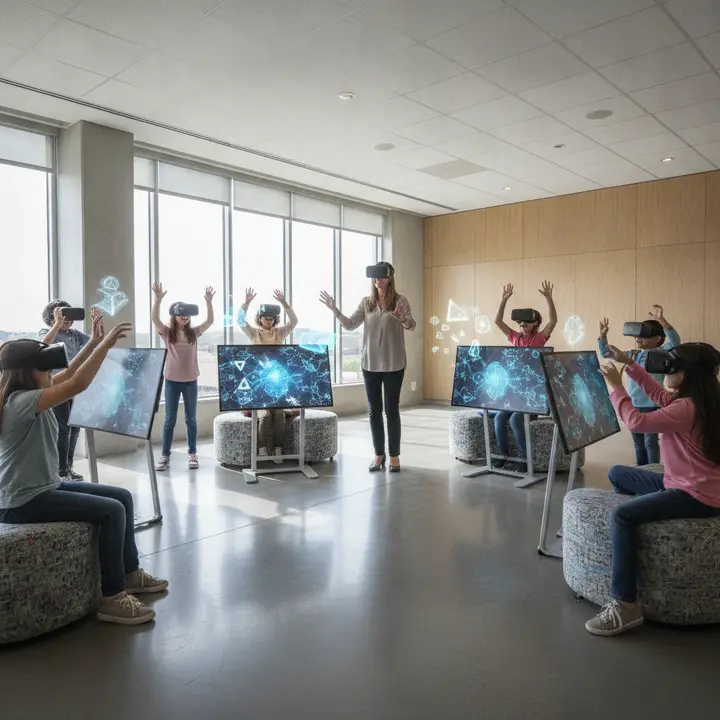
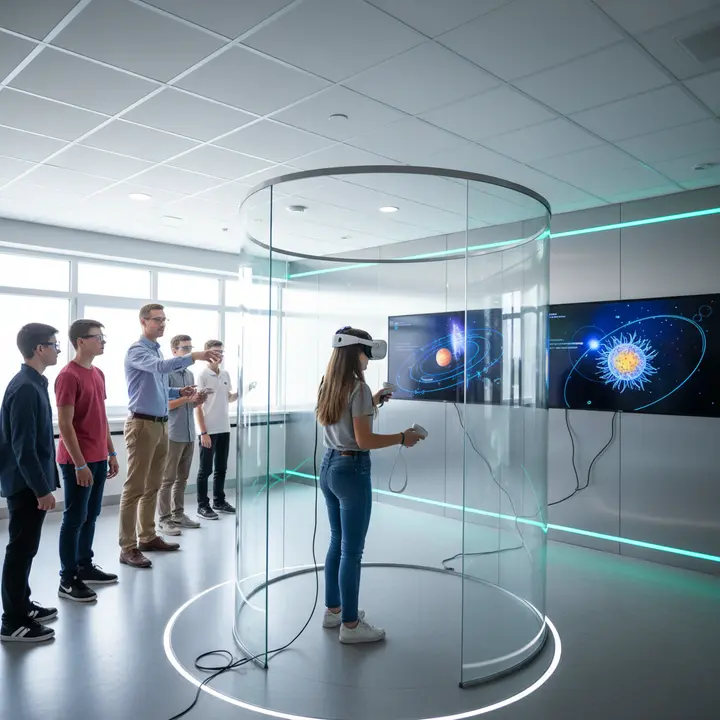
At The Next Level, educational sessions run on high-end, room-scale headsets inside dedicated gaming pods. Learners move freely within a defined 3D space, use motion-tracked controllers to point, grab, measure, or sketch, and see instant results while classmates and teachers follow along on wall-mounted displays.
Local considerations for Old East Village
- Combine your field trip with a nearby stop at the London Children’s Museum to anchor science concepts with exhibits and VR exploration.
- During winter weather, build buffer time for buses and coat storage so rotations start on schedule and every student gets a fair turn.
- Use our lounge-style party room as a quiet base for sign-in, snacks, and group debriefs during peak school months in Middlesex County.
Why Educational VR Matters
Educational VR boosts engagement, memory, and confidence by pairing visual-spatial context with active practice. When learners explore and make choices, they encode information more deeply than with lecture-only methods. The result is better recall, stronger vocabulary, and smoother skill transfer to the classroom and lab.
Here’s why immersive learning earns a spot in your toolkit:
- Attention and motivation: Choice-driven exploration turns lessons into discovery. Students often volunteer observations more readily after a headset turn.
- Unreachable places, accessible: Ancient ruins, deep ocean, orbits, and micro-scale biology become safe, first-person visits you can pause and replay.
- Safe, repeatable practice: Chemistry, anatomy, and engineering scenarios can be retried without risk, clean-up, or lab setup time.
- Language development: Describing spatial relationships (“above,” “adjacent,” “rotating clockwise”) strengthens academic vocabulary in science and tech.
In our experience with London-area schools, a single class period that mixes short VR rotations with quick writes can produce richer use of unit vocabulary compared to a reading-only day. We’ve seen students connect prior knowledge faster when they can “touch” the concept first.
Immersive media adoption is rising across sectors—from classrooms to events—driven by the clarity of seeing a space before you go. For context on how virtual walkthroughs aid planning, see these perspectives on virtual venue tour benefits and virtual event tour technology.
How Educational VR Works (Hardware, Space, Content)
Educational VR blends three elements: accurate tracking headsets and controllers, a safe room-scale space, and purpose-built learning software. Together, they deliver responsive visuals and precise motion mapping so students can explore, manipulate objects, and collaborate while teachers observe, coach, and assess.
At The Next Level, the stack is tuned for learning and comfort:
- Headsets and controllers: High-fidelity visuals paired with motion tracking translate head and hand movement into the scene with minimal latency.
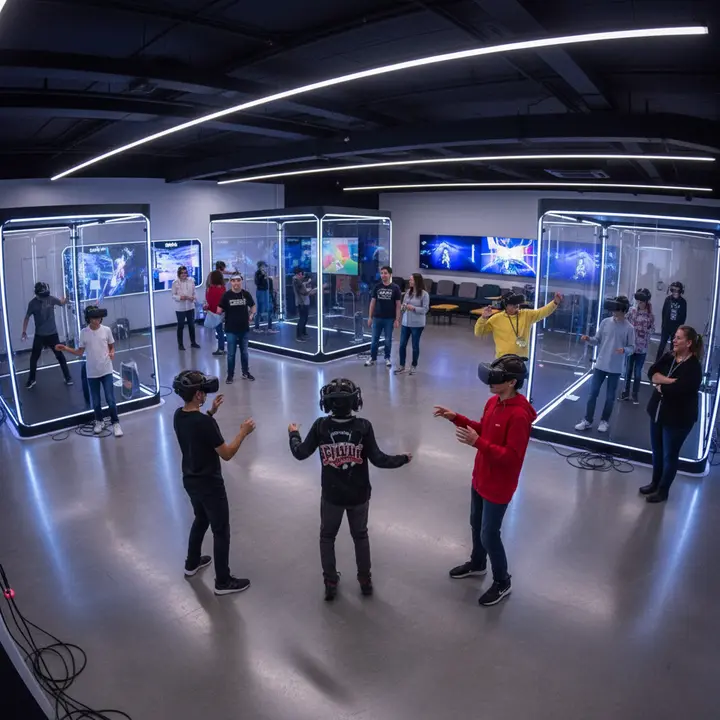
- Room-scale pods: Each ~9×9 foot play area is clearly bounded, with spectator displays for classmates to watch and support.
- Content curation: We maintain a broad, updated library across science, history, art/design, and problem-solving, with options for mixed skill levels.
- Facilitation: Our team handles fit, orientation, and hygiene while educators frame objectives and lead debriefs for reflection and transfer.
Curious how spatial tracking underpins the magic? This overview of room-scale VR tracking explains how a defined boundary and precise sensors convert movement into crisp, stable interactions—essential for lab-style activities that require accuracy.

Types of Educational VR Experiences
Educational VR spans explorations, simulations, creative studios, and team challenges. Explorations build context; simulations build skills; creative studios build expression; team challenges build communication and problem-solving. Mixing types over a unit builds knowledge, confidence, and collaboration.
Explorations (Context and Curiosity)
- Virtual field trips through historical cities, biomes, or engineering landmarks to spark questions and set purpose.
- Guided observation with prompts that target inference, comparison, and evidence-based claims.
- Great for lesson hooks, bell-ringers, or previewing a complex text before reading.
Example: Before a geology unit, students “walk” a volcanic slope, identify igneous formations, and annotate screenshots. Back in class, they sort rock samples with more confidence.
Simulations (Practice and Mastery)
- Physics labs exploring forces and motion; chemistry reaction spaces with safe, repeatable trials.
- Career scenarios—sterile technique, tool handling, or emergency triage—that build procedural memory.
- Rubric-aligned tasks where learners repeat until proficient without material waste or safety risks.
Example: Students measure acceleration by “grabbing” objects and tracking motion in 3D, then graph their data with fewer errors than in paper-only labs.
Creative Studios (Design and Expression)
- 3D sculpting and painting to prototype forms, explore symmetry, and visualize scale.
- Media arts: storyboard in space, compose music with spatial cues, or animate scenes for portfolios.
- Peer critique using saved screenshots or short screen recordings to discuss choices and revisions.
Example: In an art elective, students build 3D sculptures in VR, capture angles for a digital gallery, and write artist statements referencing composition and movement.
Team Challenges (Communication and Problem-Solving)
- VR escape rooms that require clue-sharing, sequencing, and calm decision-making under time pressure.
- Cooperative puzzles with rotating roles (navigator, builder, tester) to ensure everyone contributes.
- Structured debriefs connecting behaviors (listening, turn-taking) to outcomes and next steps.
Curious how a challenge day could look? Skim our overview of VR escape rooms in London to see how narrative puzzles can double as communication labs for teens.

Best Practices for Teachers and Trip Leads
Plan with crystal-clear objectives, scaffold with short rotations and defined roles, and capture artifacts for assessment. Establish safety and hygiene norms up front. The most effective sessions look like labs: concise setup, focused practice, and a reflective debrief to lock in learning.
- Define outcomes: “Compare plate boundaries” or “sequence mitosis stages” beats “try VR.” Anchor each rotation with a prompt.
- Short cycles: 8–12 minute headset turns maintain focus and reduce fatigue. Use timers and a visible rotation chart.
- Roles for all: Pilot (in headset), Co-pilot (guides via display), Recorder (notes), Timekeeper (flow). Rotate to keep engagement high.
- Artifacts: Sketches, labeled screenshots, voice notes, or quick writes right after the headset comes off.
- Equity: Offer seated modes or co-pilot roles for students sensitive to motion. Normalize opting for an observer role.
- Onboarding: Share our VR beginner tips before arrival so students know what to expect and how to move calmly in room-scale spaces.
When you treat VR time like a lab rotation, you get lab-quality evidence. We’ve seen smoother behavior and better academic talk when roles and prompts are posted where students can see them.
Tools and Resources (Hardware, Software, Facilitation)
A reliable educational VR setup pairs accurate tracking headsets and ergonomic controllers with curated, age-appropriate content and trained facilitators. Classroom success depends as much on lesson framing and hygiene workflows as on graphics quality or frame rates.
- Headsets: PC-connected units with precise spatial tracking for fine-motor tasks like measuring, labeling, or assembling.
- Controllers: Comfortable, intuitive devices that let students point, grab, draw, and manipulate with minimal learning curve.
- Content vetting: Choose titles aligned to skills and standards; preview scenarios and set clear success criteria.
- Facilitators: Our staff help with fit, setup, and troubleshooting so teachers can focus on coaching and assessment.
- Observation: Large displays make thinking visible for non-headset peers and enable real-time feedback loops.
Looking for inspiration across genres? Browse ideas in our immersive VR experiences roundup and match them to your unit’s verbs—compare, simulate, construct, debate.
Case Studies and Local Examples
In Old East Village and across Middlesex County, schools use educational VR to sharpen recall and teamwork. Typical outcomes include clearer use of science vocabulary, faster mastery after kinesthetic practice, and more inclusive participation during team challenges supported by defined roles and visible prompts.
Local snapshots that mirror common school goals:
- Grade 8 science—forces and motion: After VR lab rotations, students graphed acceleration changes with fewer mislabels than in a prior paper-only unit.
- Art and design elective: Students sculpted in 3D, captured angles for a digital gallery, and wrote artist statements referencing symmetry and scale.
- Team-building day: A grade 10 cohort completed a multi-room VR escape challenge; teachers noted stronger turn-taking and calmer conflict resolution by the final room.
Planning something similar? Our school field trip planning guide covers supervision models, rotation schedules, and simple rubrics you can adapt to your unit.
Planning Your Educational VR Visit
Start with your learning targets, then select two or three VR titles that reinforce those goals. Schedule rotations that fit your class size, confirm chaperone roles, and plan a 10-minute debrief. In Old East Village, coordinate arrival windows and storage so every student gets a full, focused turn.
- Map standards to titles: Choose experiences that practice the same verbs your assessments use.
- Decide rotation length: 8–12 minutes per turn keeps energy up; post the sequence where students can see it.
- Chaperone roles: Assign spotters and a recorder for each pod; brief everyone on safety and hygiene.
- Accessibility: Note accommodations and alternatives (co-pilot, seated mode) in advance.
- Arrival logistics: Use our lounge as a staging area; split large groups into pod teams to reduce idle time.
Coordinating a bigger group? These group booking VR tips share field-tested ways to keep transitions smooth and attention high from bus arrival to final debrief.
Comparison: Where Should Students Do VR?
Schools usually weigh three paths: in-class mobile headsets, a shared lab cart, or a destination VR arcade. Mobile is flexible but limited; carts centralize management; arcades deliver room-scale immersion, expert support, and ample spectator space for debriefs and team challenges.
| Option | Strengths | Trade-offs | Best for |
|---|---|---|---|
| In-class mobile | Portable; quick setup; easy to sprinkle short tours | Lower fidelity; limited tracking; narrow interactivity | Lesson hooks, previews, vocabulary building |
| School lab cart | Centralized devices; shared content library | Space constraints; staffing and sanitization workload | Planned units, repeated practice, small-group work |
| Destination VR arcade | Room-scale immersion; trained facilitators; large displays for peers | Offsite logistics; scheduling coordination | Deep dives, team challenges, showcase days |
Not sure which path fits your goals? Many schools blend them—use a quick mobile tour to spark curiosity, then bring students to our VR arcade for lab-quality practice and a capstone team challenge.
Safety, Hygiene, and Wellbeing
Set clear movement rules, sanitize gear between uses, and watch for fatigue or motion sensitivity. Rotate students every 8–12 minutes, provide seated options, and encourage hydration. With structure and coaching, VR sessions stay safe, inclusive, and focused on learning.
- Boundaries and lanyards: Review room edges and have pilots use controller straps at all times.
- Sanitation cadence: Hands, face interfaces, and controllers are cleaned between rotations.
- Comfort options: Offer co-pilot or seated mode for sensitive learners; normalize switching roles anytime.
- Spotters: Station adults at pod corners to cue slow movement and posture resets.
- Breaks and water: Build short pauses into the schedule; reflection time doubles as a rest.
Want a peek at pod layout and flow? This short explainer on VR gaming pod setup shows how space, screens, and supervision work together to keep sessions safe and efficient.
Educational VR FAQ
Educational VR works best when it’s tied to clear learning goals and debriefed immediately. Most students adapt quickly, and alternatives like co-piloting or seated modes keep the experience inclusive. Below are concise answers to common school group questions.
How do we align VR to curriculum standards?
Pick one or two standards per session and map activities to observable skills. Use prompts like “compare and contrast” or “explain cause and effect,” then collect sketches, screenshots, or exit tickets immediately to verify learning.
What if students feel motion sensitive?
Choose titles with stable locomotion, run shorter rotations, and offer co-pilot roles where students direct actions from the display. Proper headset fit and slow head turns help many learners stay comfortable.
Can large groups participate efficiently?
Yes. Use multiple pods in parallel, assign spotters and recorders, and stage a debrief station. Clear rotation schedules keep energy high and maximize hands-on time within your visit window.
Do non-gamers succeed in educational VR?
Absolutely. Activities are framed around observation, communication, and problem-solving—skills everyone can practice. Defined roles and visible prompts level the field so all students contribute, whether they’ve used VR before or not.
Key Takeaways
Tie VR to specific learning goals, run short rotations with defined roles, and capture artifacts during debriefs. Choose experiences that match your assessment verbs, and plan logistics—arrival, storage, and supervision—so every student gets focused time on task.
- Educational virtual reality shines for visualization, safe practice, and communication.
- Short, structured rotations and lab-style debriefs produce the strongest gains.
- Blend classroom previews with a destination VR arcade for deeper practice.
- Use roles and visible prompts to keep participation inclusive and on-task.
Conclusion and Next Steps
Educational virtual reality turns complex ideas into experiences students remember. With clear objectives, defined roles, and quick debriefs, schools can boost engagement, vocabulary, and teamwork—while keeping sessions safe and welcoming for every learner.
Ready to plan a learning-focused visit to our VR arcade in Old East Village? Tell us your unit goals, class size, and timing, and we’ll help you choose experiences and build smooth rotations. We look forward to welcoming your students to The Next Level.